

Fix 25 MB Uploads with ffmpeg, Transcription Limits for Engineers
Most transcription APIs reject audio above 25 MB on their simplest upload endpoints, while dedicated upload channels tolerate 2 to 5 GB and some transcript endpoints accept up to 10 hours of runtime. The fastest fix when a file exceeds a cap is re-encoding to mono at 32 to 64 kbps, which shrinks most recordings well under any limit without meaningfully hurting transcription accuracy. If re-encoding alone doesn’t get you there, split the file into overlapping chunks and stitch the transcripts afterward.
TL;DR:
- Re-encode large audio files to mono at 32 to 64 kbps to reduce size without significantly affecting transcription quality.
- Use bulk or asynchronous upload endpoints for files larger than 25 MB, reaching up to 2 to 5 GB or several hours of audio duration.
- Always run preflight checks on file size, duration, and codec before uploading to avoid failures caused by infrastructure limits or improper encoding.
- Split long recordings into overlapping chunks of 10 minutes with 2 to 5 seconds overlap to maintain accuracy during stitching.
- Consider local or browser-based transcription for privacy-sensitive or very lengthy recordings to bypass API file size and upload constraints entirely.
Table of Contents
- Representative File-Size and Duration Caps You’ll Meet in the Wild
- How Codec, Bitrate, Channels, and Sample Rate Change File Size
- Prioritized Preprocessing Steps With ffmpeg Commands
- Backend Limits You May Not Expect
- When Browser or Local Transcription Beats an API Upload
- A Production Checklist for File Size Limits in Transcription
- Why I’d Rather Fix the File Than Fight the API
- Testing Large-File Workflows on OpenTranscription
- Sources
- FAQ
Representative File-Size and Duration Caps You’ll Meet in the Wild
The confusion around file size limits transcription workflows run into usually comes down to conflating three different ceilings that live at different layers of the same API. OpenAI’s Whisper API famously enforces a hard 25 MB cap on some audio upload endpoints, which catches almost anyone uploading an hour-long interview recorded at a normal podcast bitrate. Separate upload endpoints designed for bulk or asynchronous jobs often accept 2 to 5 GB, and some transcript-generation endpoints will process audio up to roughly 10 hours long once the file has actually landed on the server.
These numbers vary by provider and change over time, so treat them as representative ranges rather than fixed rules for any specific vendor. What matters more than the exact number is knowing where in the pipeline the limit sits.
- Small synchronous upload endpoints: usually the tightest, often around 25 MB, meant for quick single-shot transcription calls.
- Bulk or async upload endpoints: designed for batch jobs, often 2 to 5 GB.
- Transcript-generation limits: sometimes duration-based rather than size-based, capping at multi-hour runtimes.
- Base64 encoding in request bodies: adds roughly 33% payload overhead, which can push a file that looks compliant past a hidden request-size ceiling.
Before uploading anything, run a preflight check on file size, duration, and codec. Catching a violation locally costs seconds; catching it after a failed API call costs a retry cycle and, on billed platforms, sometimes a partial charge.
How Codec, Bitrate, Channels, and Sample Rate Change File Size
File size depends largely on four variables, three of which can be adjusted without hurting transcription accuracy.
Channels. Stereo audio doubles file size compared to mono for the same bitrate, and transcription models gain essentially nothing from the second channel unless you specifically need per-speaker channel separation. Converting stereo to mono is the single highest-leverage change you can make.
Bitrate. Speech compresses well. A 16 to 64 kbps range preserves intelligibility for most transcription models, and Whisper-style architectures tolerate the aggressive end of that range better than most people expect.
Sample rate and bit depth. Speech recognition models generally train on 16 kHz audio, so recording or converting to 44.1 kHz or 48 kHz adds file size without adding transcribable information.
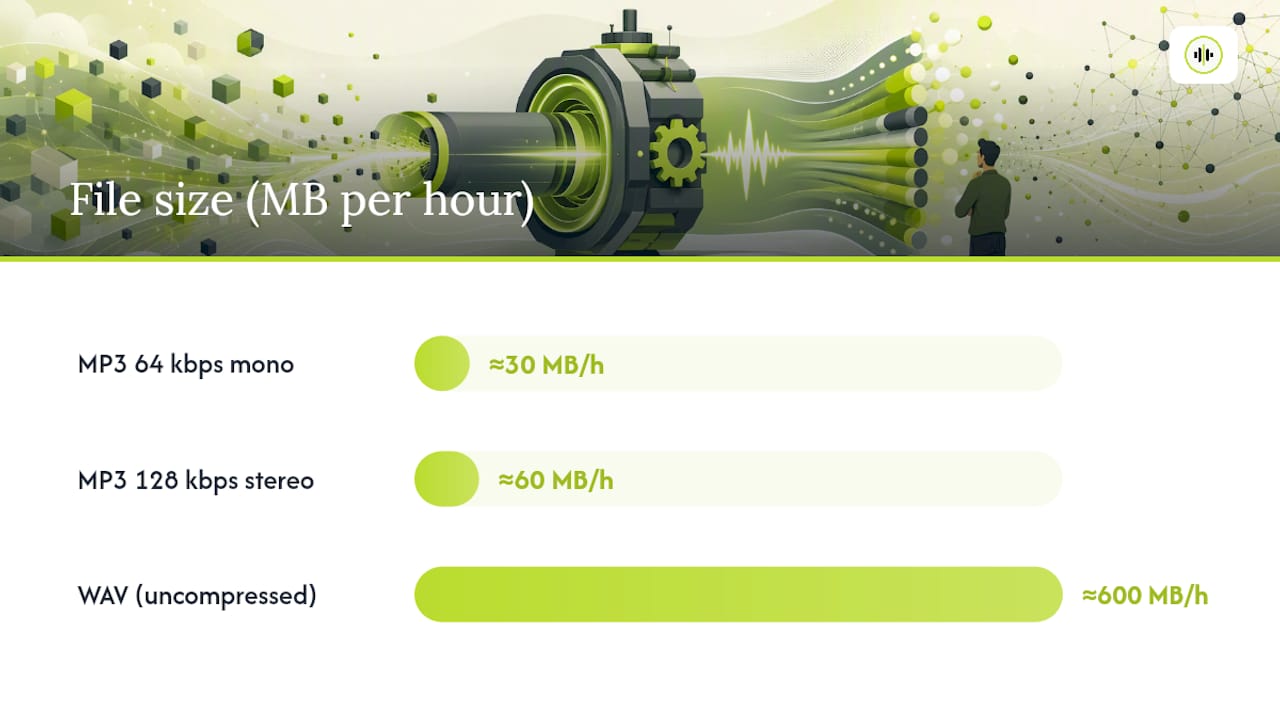
Statistic Callout: Rough MB-per-hour estimates at common settings: MP3 at 64 kbps mono runs about 30 MB per hour, MP3 at 128 kbps stereo runs about 60 MB per hour, and uncompressed WAV runs roughly 600 MB per hour. That twentyfold spread between WAV and a well-tuned mono MP3 is the entire ballgame for anyone hitting upload caps.
- Mono halves file size compared to stereo at the same bitrate. Bitrates between about 32 and 64 kbps are a practical sweet spot for speech transcription. A sample rate of 16 kHz is sufficient; higher rates do not improve transcription and increase file size.
Prioritized Preprocessing Steps With ffmpeg Commands
When a file exceeds a provider’s cap, work through this decision tree in order rather than jumping straight to splitting, which introduces its own accuracy risks.
- Re-encode to a speech-appropriate bitrate first. This alone resolves most cap violations.
- Convert stereo to mono if you haven’t already, cutting size roughly in half again.
- Trim silence at the start, end, and any long dead air in the middle.
- Split with overlap only if the file is still too large after steps 1 through 3.
Example commands using ffmpeg-based preprocessing:
Re-encode to a compact MP3 for speech:
ffmpeg -i input.wav -ac 1 -ar 16000 -b:a 48k output.mp3
Extract audio from a video file:
ffmpeg -i input.mp4 -vn -ac 1 -ar 16000 -b:a 48k audio.mp3
Split a long file into 10-minute segments with a 3-second overlap:
ffmpeg -i input.mp3 -f segment -segment_time 597 -c copy chunk_%03d.mp3
Adjusting segment_time slightly below your target window builds in the overlap you need for clean stitching.
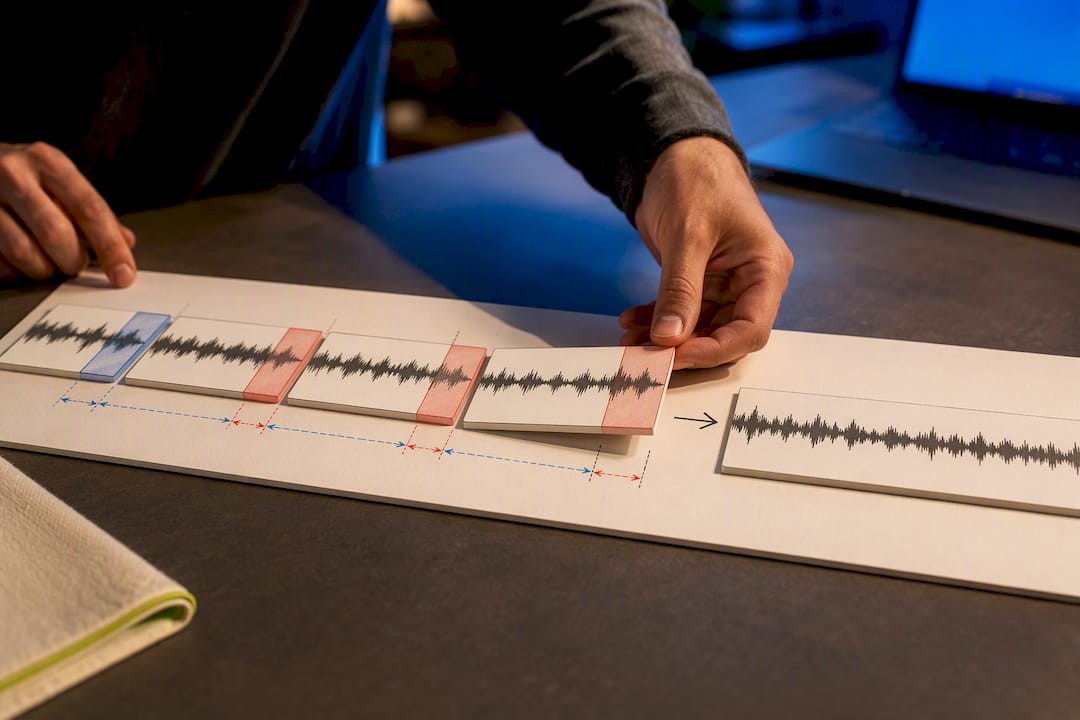
Splitting without overlap creates cold-start errors at every boundary, since the model has no context for the first word or two of each new chunk. A 2 to 5 second overlap between chunks fixes most of that, but it means your stitching logic has to detect and discard duplicated words at the seams rather than blindly concatenating transcripts. Keep a record of each chunk’s start-time offset so you can realign timestamps after stitching. Without that bookkeeping, speaker labels and timecodes drift the moment you rejoin more than two or three segments.
Pro Tip: Before running a batch job across dozens of files, re-encode one representative sample at your target bitrate and transcribe it first. A five-minute test catches accuracy problems that would otherwise show up only after you’ve already burned processing time and budget on the full batch.
Backend Limits You May Not Expect
A file that’s technically under the size cap can still fail, and the reasons usually trace back to infrastructure rather than the file itself.
Per-request timeouts are the most common culprit. A 2 GB file that passes the size check can still time out mid-processing if the server enforces a request duration limit shorter than the time needed to transcribe it, which is why async job patterns exist for a reason.
Base64 encoding overhead is the second trap. Encoding binary audio as base64 inside a JSON request body inflates payload size by about a third, so a 20 MB file can silently become a 27 MB request and blow past a 25 MB limit that never applied to the raw audio in the first place. Binary or multipart uploads avoid this entirely.
For production reliability:
- Run preflight checks on size, duration, and codec before every upload.
- Prefer async upload plus polling over synchronous single-call transcription for anything over a few minutes.
- Build in retry logic with backoff for transient failures.
- Set your own internal limits below the provider’s stated cap to leave margin for edge cases.
When Browser or Local Transcription Beats an API Upload
On-device transcription running through WASM or WebGPU sidesteps upload caps entirely, since the audio never leaves the machine. Browser-based transcription projects have made this genuinely practical for privacy-sensitive work and very long recordings that would otherwise require heavy chunking.
The tradeoff is resource-based rather than policy-based: you’re now bound by the model’s download size, available RAM, and local compute rather than an API’s stated ceiling. Once the model is cached, local transcription removes server-side limits altogether, and the real constraint becomes what the device can hold in memory.
A simple rubric for choosing:
- Short, frequent uploads → cloud APIs, where speed and model variety win.
- Very long or privacy-sensitive sessions → local or browser transcription.
- Heavy parallel batch jobs → server pipelines built for async ingestion, not single synchronous calls.
A Production Checklist for File Size Limits in Transcription
Treat every new transcription pipeline the same way: preflight check the file’s size and duration, re-encode a short sample and verify accuracy before committing to a batch, define a chunking policy in advance rather than improvising one mid-failure, and keep timestamp offset records if you’re stitching. Monitor failure rates in production, since a spike often signals an upstream change in input format rather than a provider outage.
This approach reflects a discipline at the platform level, benchmarking transcription models side by side so developers can weigh cost, speed, and accuracy for a given encoding profile rather than guessing. A reasonable starting configuration for most speech content is mono audio at 32 to 64 kbps split into 5 to 10 minute chunks, tested against a short sample before scaling to a full batch.
Why I’d Rather Fix the File Than Fight the API
Most file size limits transcription teams complain about aren’t really API failures. They’re re-encoding problems in disguise. If your recordings are private or run for many hours, local transcription is usually the better call on cost and control. For everything else, a properly compressed upload beats splitting nine times out of ten.
— Benjamin
Testing Large-File Workflows on OpenTranscription
OpenTranscription is built for exactly the re-encode-then-benchmark workflow this article walks through: pick a model, feed it a properly compressed sample, and compare accuracy and cost against 40-plus other speech-to-text models before committing to a full batch run.
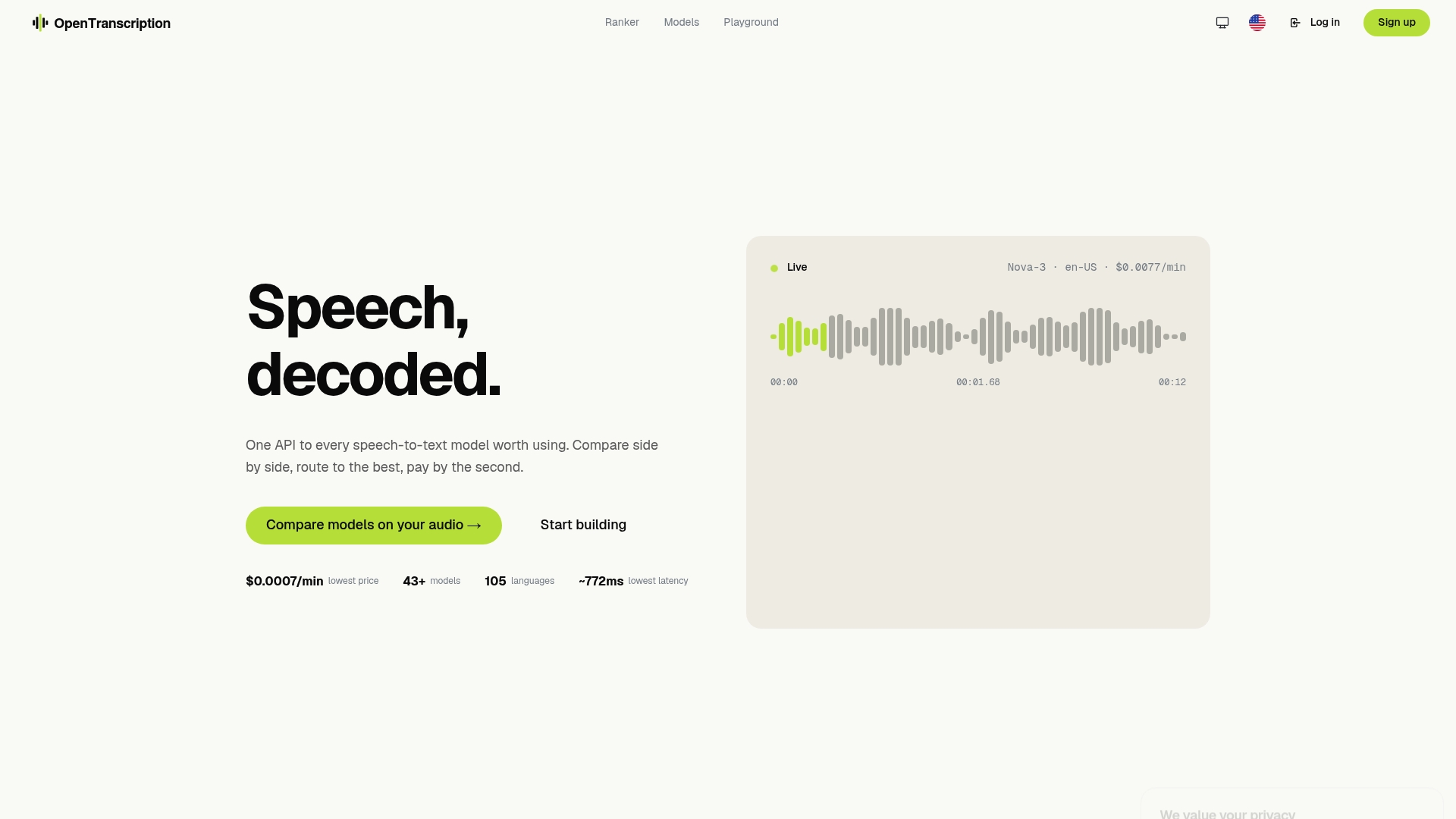
Because pricing runs per second of audio processed with no subscription commitment, you can test a five-minute mono clip at 48 kbps against several models rather than guessing which one handles your audio best. If you’re preparing a batch of interviews or lecture recordings, start with the model comparison and benchmarking tool to see how accuracy holds up at your target bitrate before you commit to a chunking policy. For teams weighing specific model tradeoffs on latency versus accuracy, the full model catalog breaks down capabilities so you can match the right model to your re-encoded file rather than defaulting to an endpoint.
Sources
For readers who want to verify caps or copy commands directly: the Whisper API 25 MB limit breakdown covers the most commonly hit ceiling, the optimal audio input settings gist has bitrate and sample-rate specifics, the ffmpeg preprocessing reference contains the decision tree and commands used above, and the browser-whisper project documents the local-transcription alternative. For codec and upload sizing from an industry partner’s perspective, see AmmarAI’s transcription guide.
- Whisper API 25MB File Size Limit: Fix It — MetaWhisp
- Optimal Audio Input Settings for OpenAI Whisper Speech-to-Text
- Transcribe-maker preprocessing recommendations (ffmpeg strategies)
FAQ
How do I transcribe a large audio or video file?
Re-encode it to mono at 32 to 64 kbps first, since that alone resolves most upload cap violations, then split into overlapping chunks only if the file is still too large.
How big can a file be for a transcription API to accept it?
It depends on the endpoint: simple synchronous upload endpoints often cap around 25 MB, while bulk or async endpoints frequently accept 2 to 5 GB, and some transcript-generation limits are duration-based instead, allowing multi-hour audio.
How can I send an audio file larger than 25 MB for transcription?
Compress it first with a mono, low-bitrate re-encode, which usually brings even long recordings under 25 MB, or split it into overlapping chunks and stitch the resulting transcripts using timestamp offsets.
How can I transcribe a large audio file for free without hitting upload limits?
Browser-based or on-device transcription tools avoid upload caps entirely since the audio never leaves your machine, though you’ll trade that off against the model’s download size and your device’s available compute.
Does splitting a file hurt transcription accuracy?
Splitting without overlap creates cold-start errors at each chunk boundary, but a 2 to 5 second overlap between chunks largely eliminates that problem when your stitching logic accounts for the duplicated audio.