

40+ Models to Test for FFmpeg Transcription, Dev Playbook
The fastest path to production for ffmpeg transcription needs that include real-time streaming, speaker diarization, and multilingual coverage is a managed, pay-as-you-go transcription API rather than a self-hosted pipeline. Services in this category return timestamped transcripts, confidence scores, and per-second billing that make scaling predictable. A practical entry point is a platform that benchmarks many transcription models side by side, so teams can compare cost, speed, and accuracy before committing to a single vendor.
TL;DR:
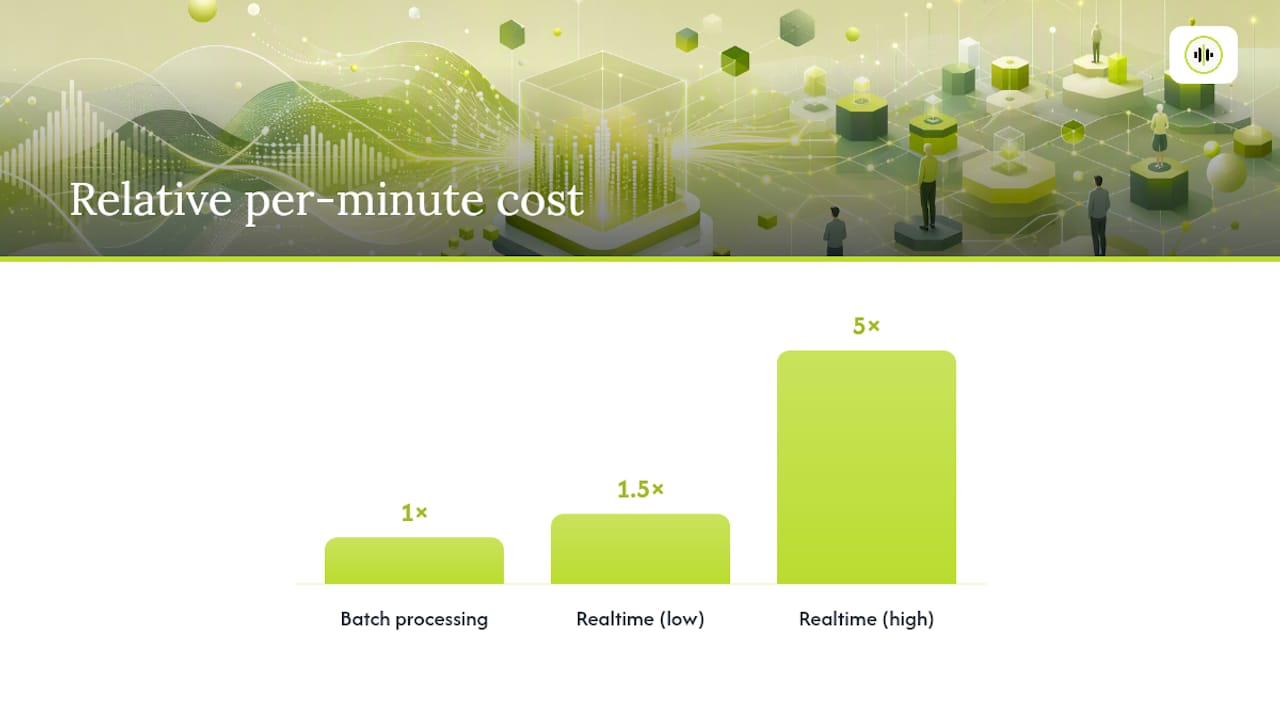
- Real-time transcription is significantly more expensive than batch processing, often costing 1.5 to 5 times more per minute, influencing both budget and latency considerations.
- Speaker diarization accuracy decreases sharply with overlapping speakers, so testing on your own audio is essential before relying on vendor claims.
- Confidence scores are critical for flagging low-quality segments for review, especially in applications requiring high accuracy, such as legal or medical transcriptions.
- Benchmarking should be done with your specific audio data, measuring word error rate, latency, partial-result quality, and cost, to make an informed vendor choice.
- Using platforms like OpenTranscription speeds up model comparison by providing side-by-side testing of many models on cost, speed, and accuracy without building multiple integrations.
Table of Contents
- What Transcription Capabilities Actually Matter in Production?
- How Do You Integrate a Speech-to-Text API Into Your Pipeline?
- How Do You Benchmark Transcription Models for Accuracy and Cost?
- What Are the Operational and Compliance Requirements?
- How OpenTranscription Speeds Up Model Selection and Testing
- What Engineers Get Wrong About Transcription Pilots
- Sources
- FAQ
What Transcription Capabilities Actually Matter in Production?
Most engineering teams evaluating an automated transcription using ffmpeg or similar audio pipelines get distracted by headline accuracy numbers and skip the architectural decisions that actually determine whether the system holds up in production. Five factors deserve attention before you write a line of integration code.
Real-time versus batch is the first fork. Streaming endpoints exist for live captioning, voice agents, and call monitoring where latency under a second matters. Batch endpoints exist for everything else: podcast archives, call recordings, compliance logs. Cloud providers explicitly separate these paths, recommending synchronous recognition for short clips and streaming or batch for longer or real-time audio. Picking the wrong mode for your workload usually shows up later as either wasted latency budget or wasted money.
Speaker diarization deserves skepticism, not blind trust. Vendor marketing tends to blur the line between detecting speaker turns (someone new started talking) and assigning stable speaker labels across a long file. The two are not the same problem, and accuracy on the second degrades fast with overlapping speech or similar-sounding voices.
Word-level timestamps and confidence scores matter more than most teams initially assume, particularly for caption alignment, search indexing, and flagging low-confidence segments for human review rather than trusting the whole transcript equally.
Language coverage splits into two decisions: does the API support the language at all, and should you force a language code or trust auto-detection? Auto-detection saves integration time but can misfire on short clips or code-switched audio.
- Real-time latency budgets typically demand sub-second partial results
- Diarization accuracy drops sharply with overlapping speakers
- Confidence scores let you route low-quality segments for review
- Auto-detection works best on longer, single-language audio samples
Realtime transcription commonly runs 1.5 to 5 times more expensive per minute than batch processing, depending on vendor and model, which makes the real-time versus batch decision a cost decision as much as a latency one.
Payload limits round out the list: file size caps, required sample rates, and mono versus stereo handling vary by provider and will break your pipeline silently if you assume they’re universal.
How Do You Integrate a Speech-to-Text API Into Your Pipeline?
Provider documentation typically exposes three distinct integration surfaces, and picking the wrong one for your workload is the single most common early mistake teams make when trying to transcribe video with ffmpeg preprocessing feeding into a cloud API.
- Synchronous REST upload works for single files where you can afford to wait for the full response. You send audio, you get back a JSON payload with segments, timestamps, and confidence scores. This is the simplest ffmpeg transcription command pattern to build and debug.
- HTTP streaming sends partial results as audio arrives without the full complexity of a persistent socket. It’s a middle ground: better UX than blocking upload, easier to implement than WebSocket.
- WebSocket or Realtime sessions deliver subsecond partial results but require raw PCM audio and impose session length constraints. Provider docs draw this exact line: file upload blocking has no partial results, file upload streaming provides partial feedback, and realtime WebSocket offers subsecond partial results but requires PCM formats and has session limits.
Provider documentation generally separates fast synchronous transcription, batch transcription, and realtime streaming into distinct endpoints, and picking the one your workload actually needs (rather than the one that seems most impressive) determines whether the integration is simple or painful.
For chunking long audio, silence-based boundaries beat fixed-interval splitting almost every time. Cutting a file every 30 seconds regardless of what’s being said guarantees you’ll slice through words at the boundary. Detecting natural pauses and chunking there, with a small overlap window, avoids that failure mode and gives you a clean seam to stitch segments back together while deduping any words caught on both sides of the cut.
Pro Tip: Detect silences with a conservative threshold, add roughly half a second of overlap between chunks, apply light normalization before sending audio to the API, then dedupe overlapping words during stitching rather than trusting the API to handle boundary artifacts for you.
For large batch jobs, don’t poll. Use webhooks so your system gets notified when a long transcription finishes instead of burning API calls checking status every few seconds. Once segments come back, do the unglamorous work: stitch speaker labels across chunks, apply a confidence threshold below which you flag for review, and clean formatting artifacts before anything touches a CRM or downstream analytics tool.
How Do You Benchmark Transcription Models for Accuracy and Cost?
Vendor-published word error rate figures are close to useless for decision-making because benchmark conditions vary wildly between vendors, and a model that scores well on clean studio audio can fall apart on a noisy phone call. The only benchmark that matters is the one you run on your own audio.
Four metrics belong in every benchmark run:
- Word error rate (or a task-appropriate variant) measured against your own labeled samples, not vendor demo audio
- Latency to first token, measured by streaming short test utterances and logging the gap between audio sent and the first partial result returned, which correlates strongly with how responsive an application feels to end users
- Partial-result quality, since some models return usable early guesses while others return garbage until the segment finalizes
- Cost per minute or second, tracked separately for streaming and batch since the multiplier gap is real and easy to underestimate
Build a representative test set before you benchmark anything. That means multiple speakers, background noise levels, accents, and both telephony and high-fidelity channel types, all held constant across every model you test so the comparison is fair.
Run the benchmark in three stages: a small pilot on a handful of representative files to eliminate obviously bad fits, a scaled run across your full test set on the survivors, then an analysis pass where you weigh accuracy against latency against cost per minute for your specific use case. A voice agent tolerates a higher error rate than a legal transcription service, but not higher latency. Build your cost model with real volume projections, factoring in the streaming multiplier if any part of your product needs real-time transcription, since that line item can dominate a monthly bill if estimated casually.
What Are the Operational and Compliance Requirements?
Raw transcripts should never land directly in a CRM or analytics store. Filter and enrich first: add speaker IDs, attach timestamps, and redact personally identifiable information before the data moves downstream. Skipping this step is how sensitive customer conversations end up searchable by half the company.
- Use TLS for all audio and transcript transfer, and short-lived tokens instead of long-lived API keys
- Set explicit retention policies rather than letting transcripts accumulate indefinitely
- Check vendor compliance credentials (BAA, SOC 2) if your data touches regulated categories like health or finance
- Build alerting around transcription anomalies, empty responses, and repeated failures, not just outright errors
- Keep an audit trail of who accessed which transcripts if you operate in a regulated context
Teams working with sensitive screen or audio recordings often need a formal redaction workflow before content moves further downstream. Redaction practices used for compliance in screen recordings translate directly to audio transcript pipelines that need the same PII scrubbing discipline.
Pro Tip: *Treat every transcript like a support ticket, not a finished document.
How OpenTranscription Speeds Up Model Selection and Testing
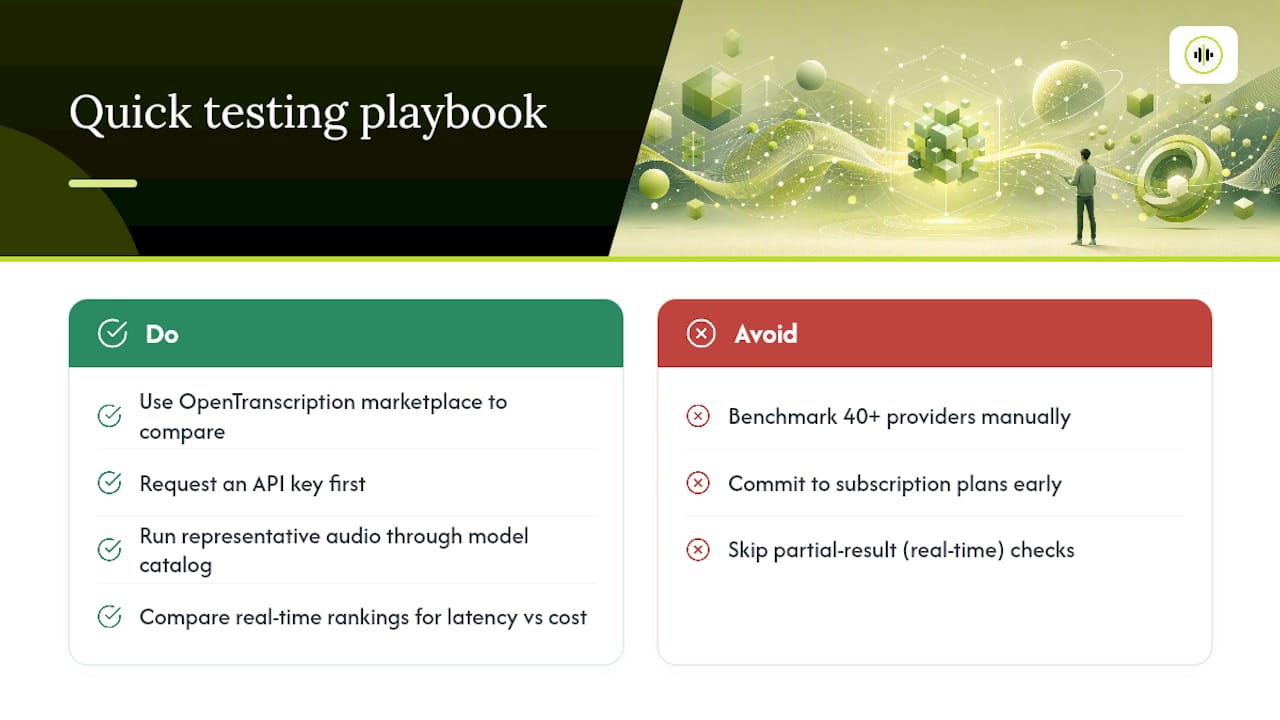
Running the benchmark process described above from scratch, against 40+ providers, individually, is exactly the kind of work that stalls prototyping timelines. OpenTranscription’s model marketplace exists to shortcut that: it benchmarks transcription models side by side on cost, speed, and accuracy, so you can compare options without wiring up a separate integration for every vendor you want to test.
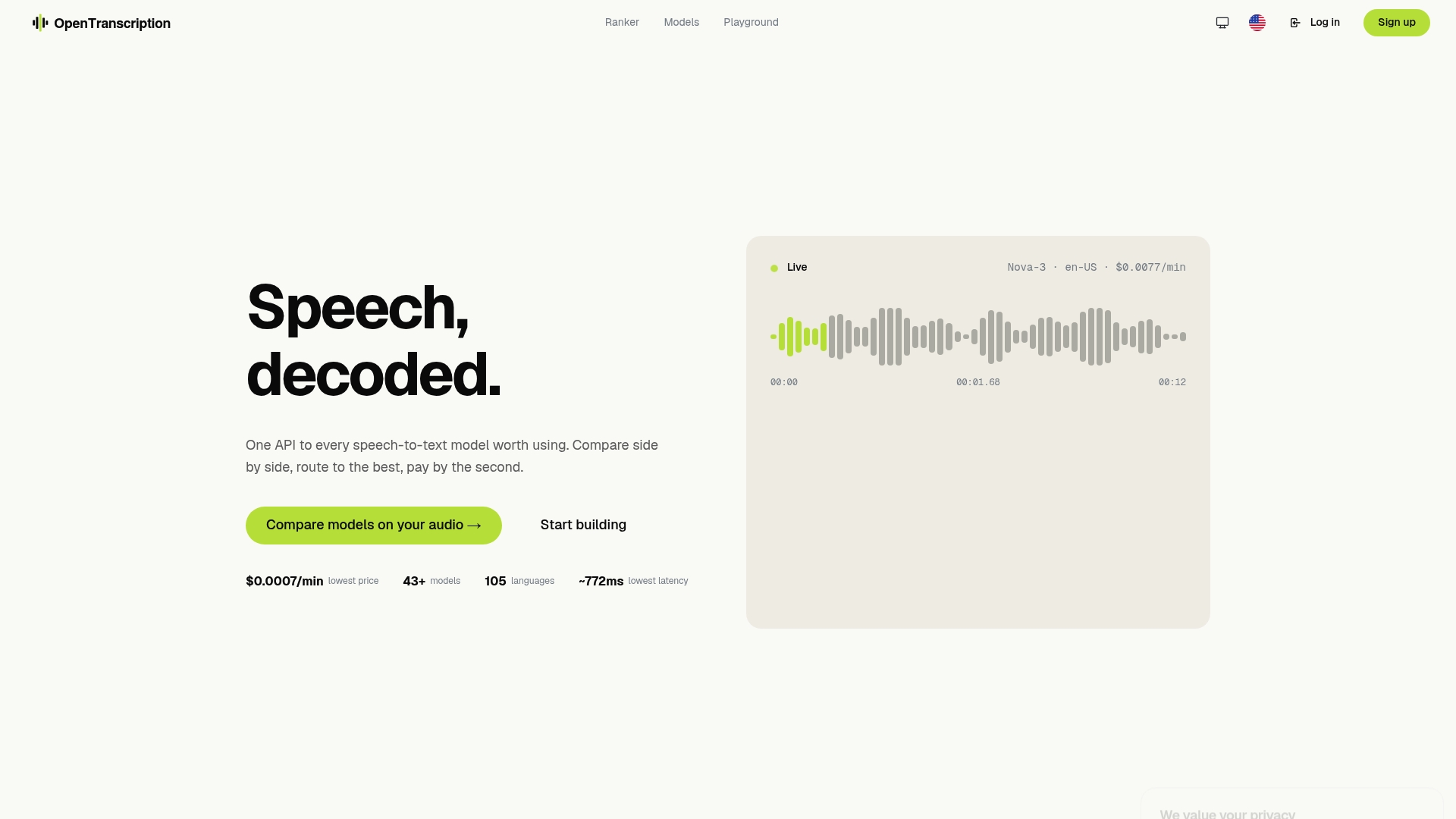
Such platforms support both batch and real-time modes through one interface, with speaker identification, structured output carrying word-level timestamps and confidence scores, and coverage across numerous languages. Pricing often runs on transparent per-second billing with no subscription commitment, which matters if your volume is unpredictable or you’re still validating product-market fit. For teams weighing latency against cost, the real-time model rankings let you compare partial-result quality and speed across providers without running your own head-to-head test first.
A practical starting point: request an API key, pull a handful of representative audio files from your own use case, and run them through the model catalog to see how cost and accuracy stack up before you write production integration code.
What Engineers Get Wrong About Transcription Pilots
Teams evaluating ffmpeg speech to text pipelines tend to over-index on a single accuracy number and under-index on latency budgets and audio quality. That’s backwards. A model with a slightly higher word error rate but faster time-to-first-token often produces a better product experience for live captioning or voice agents than the “most accurate” option on a leaderboard.
Three rules hold up across most pilots. Choose batch for analytics, archives, and captions where a few seconds of processing time changes nothing. Choose real-time only when the product genuinely needs it, since the cost multiplier is real. If diarization is critical, don’t trust a spec sheet: test it on your own noisy, overlapping-speaker audio, and budget for a post-hoc diarization step if the built-in version underperforms. When two models score within a point or two of each other on accuracy, spend your engineering effort on preprocessing instead of vendor switching. Noise reduction and proper chunking usually move the needle more than swapping providers.
— Benjamin
Sources
- Speech Service REST API - Transcription (Microsoft Docs)
- Comparing speech-to-text methods with the OpenAI API (OpenAI Cookbook)
- Transcribe audio with Speech-to-Text (Google Cloud)
FAQ
What Is FFmpeg Transcription in a Production Context?
It refers to using a managed, pay-as-you-go speech-to-text API, like the model marketplace OpenTranscription offers, to convert audio into structured, timestamped text at scale, rather than building an in-house recognition model.
Should I Use Real-Time or Batch Transcription?
Use real-time for live captions and voice agents where sub-second latency matters; use batch for archives, analytics, and any workload where a short processing delay is acceptable, since batch typically costs less per minute.
How Accurate Is Speaker Diarization?
Diarization accuracy varies significantly by vendor and drops with overlapping speech, so test any API’s diarization on your own audio before committing, and plan for a post-hoc diarization step if built-in accuracy falls short.
What’s the Best Way to Chunk Long Audio Files?
Chunk on silence boundaries rather than fixed time intervals, and add a small overlap between chunks so words aren’t cut off or duplicated at the seam.
How Do I Compare Transcription Models Without Building Separate Integrations?
Platforms like OpenTranscription let you benchmark 40+ models on cost, speed, and accuracy through one API, which avoids the overhead of integrating each vendor individually just to run a comparison.