
For real-time agent-assist and voicebot workflows, use TwiML <Transcription> (via <Start><Transcription>) or the Calls Transcriptions subresource. For post-call analytics, QA, and compliance archiving, use the Batch Transcription API. The Recording Transcriptions resource is deprecated and should not be used in new builds.
Decision checklist:
- Live agent-assist or real-time voicebot? Use
<Start><Transcription>with a low-latency streaming model and handletranscription.contentwebhook events. - Full-call QA, analytics, or compliance archiving? Use the Batch Transcription API after the call ends; it supports higher-accuracy models that tolerate longer processing times.
- Need to compare models or benchmark accuracy before committing? Use OpenTranscription to run representative telephony samples through 40+ models and measure word error rate (WER) and latency side by side.
- Migrating from Recording Transcriptions? Move to the Batch Transcription API now; the legacy resource is deprecated and no longer receives feature updates.
Table of Contents
- What is Twilio call transcription and how does live differ from recorded?
- Why call transcription matters: use cases and business outcomes
- How Twilio’s transcription APIs and TwiML nouns map to each use case
- Why dual-channel recording changes everything for speaker separation
- US legal and compliance requirements for recording and transcribing calls
- How to implement Twilio transcription: minimal setup for live and post-call
- Service limits, deprecation warnings, and pricing considerations
- How to improve transcription accuracy for telephony audio
- Key Takeaways
- The case for measuring before you commit
- OpenTranscription gives you model-level control for Twilio call workflows
- Useful sources and next-read materials
What is Twilio call transcription and how does live differ from recorded?
Call transcription converts spoken audio from a voice call into structured text using automatic speech recognition (ASR), also called speech-to-text (STT). Telephony audio presents specific challenges that broadcast or studio audio does not: VoIP and PSTN calls are typically compressed and narrowband, limited to around 8 kHz, which causes general-purpose ASR models to produce significantly higher word error rates. Models trained specifically on telephony-quality audio perform materially better in these conditions.

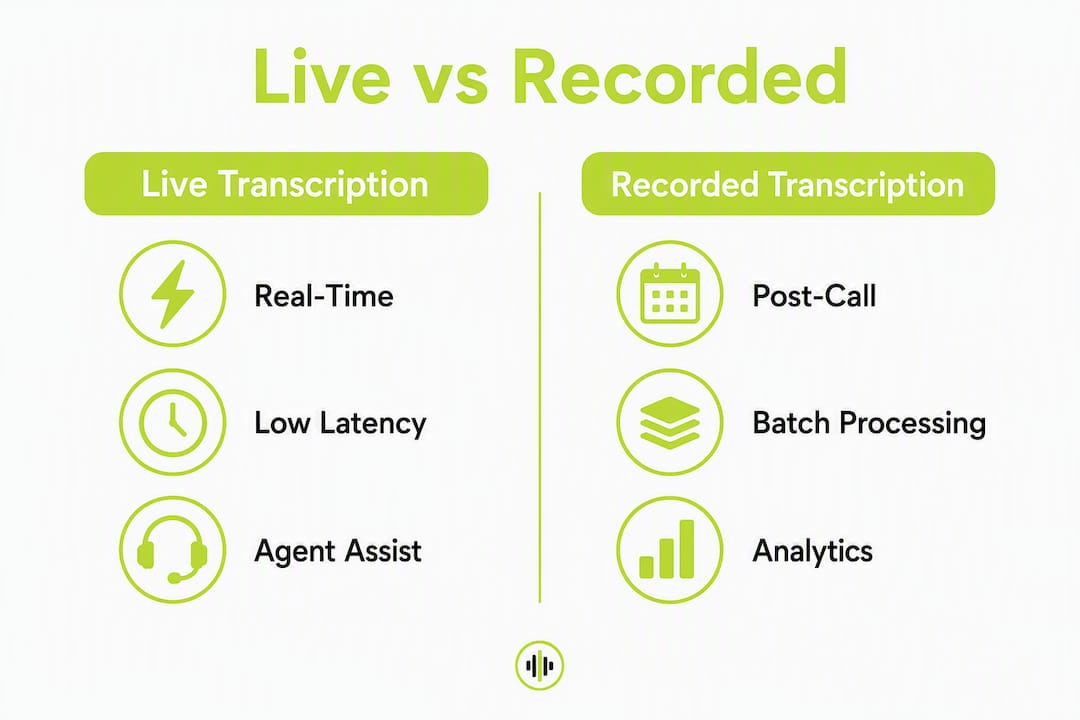
The live vs. recorded distinction maps directly to two different API paths in Twilio, each with distinct latency constraints and accuracy trade-offs:
| Dimension | Live (real-time) transcription | Recorded (post-call) transcription |
|---|---|---|
| Latency requirement | Under 200ms for agent-assist | Minutes to hours acceptable |
| Primary use cases | Agent guidance, voicebots, live captions | QA, analytics, compliance, CRM enrichment |
| Model trade-off | Low-latency streaming models; lower accuracy ceiling | Higher-accuracy batch models; slower processing |
| Twilio API | TwiML <Start><Transcription>, Calls Transcriptions subresource |
Batch Transcription API |
| Audio delivery | WebSocket / Media Streams | Recording URL submitted to API |
| Deprecated path | N/A | Recording Transcriptions (deprecated) |
Real-time STT supports agent-assist and live bots; post-call batch STT is the standard for QA and analytics where latency is not a constraint. Choosing the wrong path, such as using a batch model in a live-assist pipeline, produces guidance that arrives too late to be useful.
Why call transcription matters: use cases and business outcomes
Automated transcription enables analyzing all interactions, shifting contact center QA from sampling a small percentage of calls to full-data analytics that reveal root causes and systemic issues. The practical use cases break down as follows:
- Real-time agent assist: Live transcription feeds in-call guidance engines that surface relevant knowledge base articles, compliance prompts, or next-best-action recommendations. Requires the live path with sub-200ms latency.
- Post-call QA and coaching: Batch transcripts feed speech analytics platforms that extract themes, detect sentiment, and flag compliance gaps. Accuracy matters more than speed here.
- Compliance and record-keeping: Regulated industries (financial services, healthcare, legal) require verbatim call records. Post-call batch transcription with PII redaction and access-controlled storage covers this use case.
- CRM enrichment and search indexing: Structured transcripts with speaker labels and timestamps allow call content to be indexed, searched, and attached to customer records automatically.
- Accessibility and captioning: Live captions for hearing-impaired participants require the real-time path; post-call captions can use batch processing.
Pro Tip: Decide on your channel layout before writing a single line of transcription code. Dual-channel recording, which separates the agent and customer onto distinct audio tracks, eliminates the need for post-call diarization and reduces errors in speaker attribution. Retrofitting channel layout after deployment is expensive.
How Twilio’s transcription APIs and TwiML nouns map to each use case
Twilio exposes phone call speech-to-text through four distinct surfaces. Understanding which surface owns which job prevents architectural confusion.
| Twilio surface | Job | Key mechanism |
|---|---|---|
TwiML <Transcription> noun |
Inline real-time transcription within a TwiML response | Nested inside <Start> to begin streaming |
<Start><Transcription> |
Initiates live transcription on an active call leg | Sends partial and final transcripts to statusCallback |
| Calls Transcriptions subresource | REST resource for managing live transcription jobs on a call | POST /Calls/{CallSid}/Transcriptions |
| Batch Transcription API | Asynchronous post-call transcription from a recording URL | POST /Transcriptions with MediaUrl |
| Recording Transcriptions resource | Deprecated. Legacy per-recording transcription | Migrate to Batch Transcription API |
Key webhook events to handle:
transcription.started— confirms the transcription session is active; log theTranscriptionSidfor correlation.transcription.content— carries partial or final transcript text; this is the primary payload for agent-assist.transcription.completed— signals the full transcript is available for retrieval.transcription.failed/transcription.error— must trigger retry logic and alerting; never silently discard.
TwiML skeleton for live transcription:
<Response>
  <Start>
    <Transcription statusCallback="https://your-app.example.com/transcription-events"
                   statusCallbackMethod="POST"
                   track="both_tracks" />
  </Start>
  <Dial>
    <Number>+15551234567</Number>
  </Dial>
</Response>
Batch Transcription API request outline (HTTP):
POST /v1/Transcriptions
Content-Type: application/x-www-form-urlencoded

MediaUrl=https://your-storage.example.com/recording.wav
&StatusCallback=https://your-app.example.com/batch-complete
&LanguageCode=en-US
Poll GET /v1/Transcriptions/{TranscriptionSid} or rely on the StatusCallback webhook for completion status.
Why dual-channel recording changes everything for speaker separation
Channel layout is an architectural decision with downstream consequences for diarization accuracy, transcript quality, and analytics reliability.
- Dual-channel (both_tracks): Agent audio and customer audio are captured on separate tracks. Speaker labels are deterministic, not inferred. This eliminates diarization model errors and simplifies downstream sentiment analysis per speaker.
- Single-channel (mono): Both speakers are mixed into one track. Speaker separation requires a post-call diarization model, which introduces additional latency, cost, and error surface.
- Single-channel stereo: Stereo file, but both channels carry the same mixed audio. Functionally equivalent to mono for diarization purposes.
Dual-channel recording is the single highest-leverage architectural choice for telephony transcription accuracy. When agent and customer audio are separated at capture time, every downstream model, whether for transcription, sentiment, or summarization, operates on cleaner, unambiguous input. Attempting to recover speaker separation after the fact with a diarization model adds complexity and error that proper channel layout would have prevented entirely.
When using Twilio’s <Transcription> with track="both_tracks", both audio tracks are streamed and transcribed independently. Be aware that forking a call to capture both sides has documented constraints: Twilio limits the number of concurrent forks per call, and bridged calls have additional restrictions on which legs can be captured simultaneously. Review Twilio’s Media Streams documentation for current fork limits before designing a multi-party recording architecture.
US legal and compliance requirements for recording and transcribing calls
Recording and transcribing phone calls in the United States carries legal obligations that vary by state. Federal law (the Electronic Communications Privacy Act) requires one-party consent, meaning one participant in the call may record without notifying others. However, a significant number of states, including California, Florida, Illinois, and Washington, require all-party (two-party) consent. Any Twilio-based call recording deployment that touches callers in those states must surface a consent disclosure before recording begins.
Compliance is not a feature you add after launch. Consent disclosure logic, PII redaction, and transcript retention policies must be designed into the call flow from the first commit. Retrofitting consent prompts into a live production system is operationally disruptive and legally risky.
Practical compliance steps:
- Log consent events with a timestamp and
CallSidfor audit purposes. - Apply PII redaction to transcripts before storing them; language services support PII extraction and redaction as part of the post-call analytics pipeline.
- Store transcripts with role-based access controls and a defined retention policy aligned to your industry’s requirements.
- Review Twilio’s AI/ML addendum and legal notices before deploying any transcription feature; Twilio’s terms govern how audio data is processed by its speech models.
- PCI mode limitation: When Twilio’s PCI mode is active on a call (for payment card capture), recording and transcription are disabled for that call segment. Design your call flow to pause transcription before entering PCI-sensitive DTMF collection and resume afterward.
Consult qualified legal counsel for jurisdiction-specific consent requirements. This article is general technical guidance, not legal advice.
How to implement Twilio transcription: minimal setup for live and post-call
Live (real-time) transcription checklist
- Provision a Twilio phone number and configure its voice webhook to return TwiML.
- Add
<Start><Transcription>to your TwiML withstatusCallbackpointing to your event handler endpoint. - Set
track="both_tracks"if dual-channel capture is available; otherwise usetrack="inbound_track"ortrack="outbound_track"as appropriate. - Open your
statusCallbackendpoint to receivetranscription.contentevents; parseTranscriptionDatafor the text payload. - Handle
transcription.failedevents with retry logic and surface errors to your observability stack. - Test end-to-end latency from audio capture to webhook receipt; target under 200ms for agent-assist use cases.
Post-call (batch) transcription checklist
- Record the call using Twilio’s
<Record>verb or the Recordings API; store the recording URL. - After the call ends,
POSTthe recording URL to the Batch Transcription API with yourStatusCallbackandLanguageCode. - Receive the
transcription.completedwebhook or pollGET /v1/Transcriptions/{TranscriptionSid}for status. - Apply PII redaction to the raw transcript text before writing to your data store.
- Store the structured transcript with the
CallSid, timestamp, and speaker labels in your CRM or analytics platform. - Implement idempotency keys on your batch submission requests to prevent duplicate transcription jobs on retry.
Event-handling best practices:
- Use exponential backoff with jitter for webhook retry logic.
- Validate
statusCallbackrequest signatures using Twilio’sX-Twilio-Signatureheader to prevent spoofed payloads. - Emit
transcription.failedevents to your alerting system (PagerDuty, Datadog, or equivalent) rather than logging silently.
Service limits, deprecation warnings, and pricing considerations
Deprecation — act now: The Recording Transcriptions resource is deprecated. Twilio no longer adds features to it, and its long-term availability is not guaranteed. Any pipeline that calls POST /Recordings/{RecordingSid}/Transcriptions must migrate to the Batch Transcription API. The migration path is straightforward: replace the per-recording endpoint with a Batch Transcription API call using the recording’s media URL.
The Recording Transcriptions deprecation is not a distant sunset. Teams still using the legacy resource are accumulating technical debt against an unsupported surface. Migrating to the Batch Transcription API is the correct path, and the sooner that migration happens, the less disruptive it will be.
Service limits to plan for:
- Concurrent Media Streams forks per call are limited; exceeding the limit causes fork failures, not graceful degradation.
- Per-call transcription duration limits apply to live-streaming sessions; long calls may require session management logic to restart transcription.
- Webhook delivery is subject to Twilio’s retry policies; your endpoint must respond with HTTP 200 within the timeout window or Twilio will retry.
Pricing considerations:
- Twilio bills transcription per second of audio processed; the per-second rate varies by model and API surface.
- Dual-channel transcription processes two audio tracks, which doubles the billed audio seconds relative to single-channel.
- Recording storage and egress costs are separate from transcription costs; factor both into total cost of ownership.
- Model selection directly affects per-second pricing; higher-accuracy models typically carry a higher per-second rate. Consult Twilio’s current pricing page for exact figures, as rates change.
How to improve transcription accuracy for telephony audio
Telephony audio is compressed, narrowband, and limited to 8 kHz, which is why general-purpose ASR models underperform on call recordings. Models trained specifically on telephony-quality input achieve materially lower WER. Accuracy also depends on audio capture quality, language configuration, and domain vocabulary.
Implementation checklist for higher accuracy:
- Use dual-channel recording to eliminate mixed-speaker audio before it reaches the model.
- Set
LanguageCodeexplicitly (e.g.,en-US) rather than relying on auto-detection; misdetected language codes produce high WER. - Apply noise reduction and voice activity detection (VAD) before submitting audio to the transcription API; ASR benefits from audio preprocessing and domain-specific language models.
- Use custom vocabularies or phrase hints for product names, account identifiers, and domain-specific terminology that standard models misrecognize.
- Monitor confidence scores on transcript segments; low-confidence segments signal audio quality problems or vocabulary gaps, not just model limitations.
- Benchmark competing models on a representative sample of your actual call audio, including background noise, accents, and domain vocabulary, before selecting a production model. Lab tests on clean audio are misleading; only production-representative samples reveal real WER.
Operational best practices:
- Track WER over time as call volume and agent populations change; accuracy degrades when domain vocabulary drifts.
- Measure latency alongside accuracy for real-time paths; a model with lower WER but higher latency may be unsuitable for agent-assist.
- Use confidence score thresholds to gate downstream AI features; a summarization model fed low-confidence transcript segments produces unreliable output.
- Vendors cite high accuracy for tuned solutions, but real-world results depend on audio quality, language, and domain vocabulary. Treat vendor accuracy claims as a starting point, not a guarantee.
Pro Tip: Run a benchmark dataset of 50–100 representative call recordings, including noisy calls and domain-specific terminology, through at least three candidate models before committing to a production choice. Use OpenTranscription’s model catalog to compare WER, latency, and cost across 40+ models on your actual audio, not synthetic benchmarks.
Key Takeaways
For Twilio call transcription, the live vs. post-call path distinction is architectural, not cosmetic: real-time agent-assist requires <Start><Transcription> with sub-200ms latency, while post-call analytics requires the Batch Transcription API with dual-channel audio and PII redaction built in from day one.
| Point | Details |
|---|---|
| Live vs. post-call path | Use <Start><Transcription> for real-time; use Batch Transcription API for post-call QA and analytics. |
| Recording Transcriptions deprecated | Migrate any pipeline using the legacy Recording Transcriptions resource to the Batch Transcription API now. |
| Dual-channel recording | Capturing agent and customer audio on separate tracks eliminates diarization errors and improves all downstream analytics. |
| Telephony audio constraints | Call audio is narrowband (around 8 kHz); use telephony-trained models and set language codes explicitly to reduce WER. |
| OpenTranscription for benchmarking | Use OpenTranscription to compare many models on representative telephony samples before selecting a production model. |
The case for measuring before you commit
The most common mistake in telephony transcription deployments is selecting a model based on vendor accuracy claims rather than measured performance on representative audio. Accuracy figures cited in marketing materials, sometimes around 90% for tuned solutions, are conditioned on favorable audio quality, controlled vocabulary, and specific languages. Your call audio is none of those things: it carries background noise, regional accents, product-specific terminology, and the acoustic artifacts of VoIP compression.
The right approach is to treat model selection as an empirical question. Define a benchmark dataset from your actual call recordings, covering the full distribution of audio quality and speaker variation you expect in production. Run that dataset through candidate models, measure WER and latency independently, and set a threshold for each that your use case requires. For agent-assist, latency under 200ms is the operational target; for post-call analytics, WER below your acceptable threshold matters more than speed.
Twilio’s native transcription surfaces are well-integrated and operationally convenient, but they do not expose model-level benchmarking or let you swap models without changing your integration. When your WER is above threshold, when agent-assist latency causes guidance to arrive after the relevant moment, or when costs exceed your SLA at scale, those are the signals to re-evaluate your model selection and architecture. Build that re-evaluation cadence into your operational calendar, not just your initial launch checklist.
OpenTranscription gives you model-level control for Twilio call workflows
Twilio’s transcription APIs handle the plumbing. What they do not provide is a structured way to compare 40+ ASR models on your actual telephony audio before you commit to one. That gap is where teams end up locked into a model that was never benchmarked against their real call distribution.
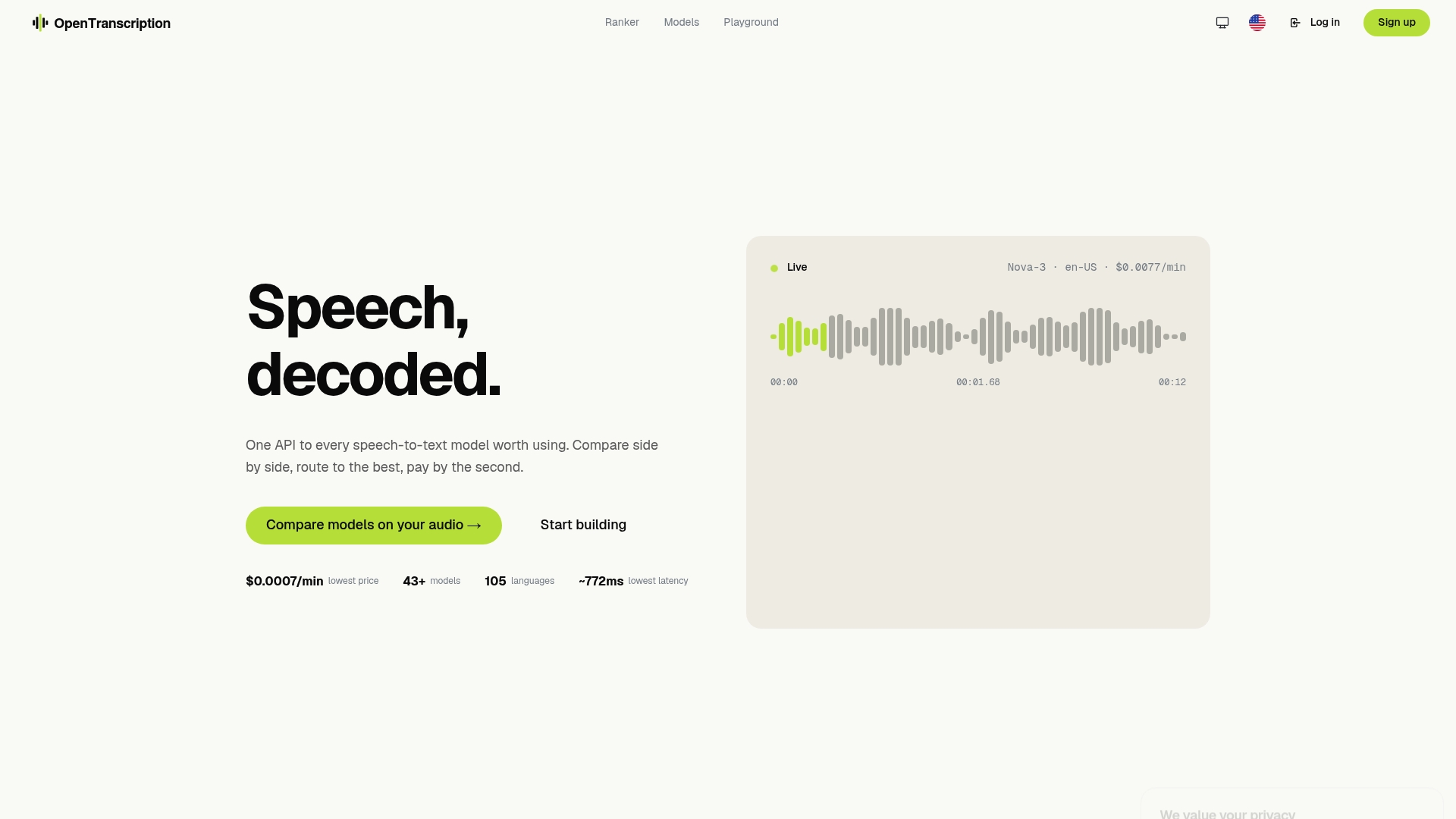
OpenTranscription’s API connects to numerous transcription models, including telephony-optimized and domain-tuned options, and lets you submit the same audio sample to multiple models simultaneously. You get WER, latency, and cost figures side by side, billed per second with no subscription. Speaker diarization, real-time streaming support, and 105+ language coverage are available across the model catalog. For teams migrating off the deprecated Recording Transcriptions resource, OpenTranscription provides a clean path to evaluate Batch Transcription API alternatives without rewriting your entire pipeline first.
Compare models on your call audio or browse the full model catalog to find telephony-optimized options ranked by accuracy, latency, and cost.
Useful sources and next-read materials
Twilio documentation:
- Twilio legal notices and AI/ML addendum — Governing terms for audio data processing; review before deploying any transcription feature.
Industry and standards references:
- Microsoft Foundry Tools for Call Center — Technical overview of telephony audio constraints and model selection guidance.
OpenTranscription resources:
- Model catalog — Browse and filter 40+ transcription models by cost, accuracy, and latency.
- Model ranker — Compare model rankings on accuracy and latency for telephony use cases.
- Signal blog — Model-by-model analysis and benchmarking methodology for audio AI.