

Research Interview Transcription: A Practical Guide for Researchers
For most qualitative projects, the defensible default is an AI-generated draft transcript verified by the researcher against the original audio — a workflow that balances speed with research-grade accuracy while producing a documented, auditable record. Before you record a single interview, commit to this checklist:
- Record clean audio (directional mic, quiet room, WAV or FLAC format)
- Generate a draft transcript (AI cloud, local ASR, or professional service — matched to your IRB terms)
- Verify and diarize (researcher listens back, corrects errors, labels speakers)
- Anonymize (replace names, locations, and identifiers per consent form)
- Export to QDA (TXT, DOCX, or SRT into NVivo, MAXQDA, or ATLAS.ti)
For your methods section or lab SOP, document at minimum: the transcription style used (verbatim, intelligent verbatim, or Jefferson notation), who performed verification, and the file formats retained. Those three items satisfy most IRB audit-trail requirements and support reproducibility reviewers.
Key Takeaways
Accurate, IRB-compliant research interview transcription requires matching the transcription method to the study’s methodological paradigm, running a small benchmark before production, and maintaining a documented audit trail from recording to QDA import.
| Point | Details |
|---|---|
| AI draft plus verification is the standard | For most qualitative projects, AI-generated drafts verified by the researcher cut time substantially, typically requiring a few hours of verification per interview hour. |
| Audio quality determines ASR accuracy | Record in WAV or FLAC, use a directional mic, and run a test recording before every interview. |
| Local/offline ASR protects sensitive data | Offline Whisper-based workflows keep audio on the researcher’s device and can reduce transcription time by approximately 83% versus manual methods. |
| Document the transcription protocol | Record transcription style, verification method, and file formats in the IRB protocol and methods appendix. |
| OpenTranscription for model benchmarking | OpenTranscription’s catalog of 40+ models with transparent metrics supports structured pre-production benchmarking for research workflows. |
Table of Contents
- Why do researchers transcribe interviews at all?
- How recording quality directly affects transcription accuracy
- Which transcription method fits your project?
- What does a reproducible transcription workflow look like?
- How should you choose a transcription convention?
- How do you verify and validate a transcript reliably?
- How do transcripts plug into qualitative analysis software?
- What are the IRB and data security requirements for transcripts?
- How should you benchmark ASR models before committing to one?
- What experienced researchers actually do differently
- OpenTranscription gives researchers a benchmarked, model-flexible starting point
- Sources
- FAQ
Why do researchers transcribe interviews at all?
The transcript is the dataset. Audio recordings are primary evidence, but they are not directly searchable, codeable, or citable in the way a text file is. Converting speech to text transforms an interview into an analyzable artifact that researchers can code, annotate, and quote with precision.
Harvard Library’s qualitative research guidance makes the methodological point clearly: transcription choices should align with the study’s paradigm, and those choices must be documented for an audit trail. That alignment matters because different analytic frameworks place different demands on the transcript.
When full verbatim transcription is required:
- Conversation analysis (CA) and discourse analysis require every pause, overlap, and prosodic feature — a clean-read transcript destroys the data
- Narrative inquiry projects often need verbatim text to preserve the storytelling structure
- Any study where the how of speech (hedging, repetition, self-correction) is analytically relevant
When selective transcription or timestamped extracts are acceptable:
- Thematic analysis projects where only topical content matters
- Large-scale interview studies (20+ interviews) where full verbatim transcription is cost-prohibitive
- Supplementary interviews used to triangulate survey data
The methodological linkage runs deeper than most researchers acknowledge. An interpretivist project that uses intelligent verbatim transcription (removing false starts and filler) is making an analytic decision, not just a formatting one — it edits out the very hesitations that might be analytically meaningful. Positivist content-analysis projects, by contrast, can tolerate clean-read transcripts because they count topical units, not linguistic features.
Pro Tip: Document your transcription rationale in a one-paragraph methods note: state the level of detail chosen, the analytic justification, and who performed verification. This single paragraph satisfies most IRB audit requirements and answers the most common peer-review question about qualitative data handling.
How recording quality directly affects transcription accuracy
Audio quality is the single biggest driver of ASR accuracy and manual transcription speed. Poor recordings do not just slow you down — they introduce systematic errors that survive into the final coded dataset.
Hardware recommendations:
- In-person interviews: a directional (cardioid) USB condenser mic (such as the Audio-Technica AT2020USB+ or the Rode NT-USB Mini) placed 6–12 inches from the primary speaker reduces ambient noise pickup substantially
- Remote interviews (Zoom, Teams): record the separate audio tracks per participant when the platform supports it; combined-channel recordings collapse speaker separation and degrade diarization accuracy
- Field settings: a lapel (lavalier) mic clipped to the participant outperforms a phone placed on a table in most ambient conditions
Recording settings and file formats:
- Prefer WAV (PCM, 44.1 kHz, 16-bit) or FLAC for archival quality; both are lossless and import cleanly into all major ASR pipelines
- If storage is constrained, MP3 at 256 kbps or higher is acceptable; avoid 128 kbps or lower, which introduces compression artifacts that degrade ASR accuracy on consonants
- Set input levels so peaks reach roughly -12 dBFS to -6 dBFS — clipping at 0 dBFS is unrecoverable
Pre-interview checks:
- Run a 30-second test recording with the participant before the formal interview begins; play it back immediately to confirm levels and mic placement
- Use two recording devices simultaneously (primary recorder + phone backup) for any interview that cannot be repeated
- Confirm the recording application is set to the correct input device before every session — a common source of silent recordings
File handling and naming:
Adopt a standardized naming convention before the first interview and apply it without exception. A workable format is:
[ProjectCode]_[ParticipantID]_[YYYYMMDD]_[InterviewNumber]
Example: HLTH24_P07_20250314_I01.wav
Keep a metadata log (spreadsheet or REDCap form) that records participant ID, date, interviewer, recording device, file name, duration, and any audio quality notes. That log becomes part of the audit trail and saves significant time during QA.
Which transcription method fits your project?
The quick rule: use an AI-generated draft plus researcher verification for most qualitative projects; shift to local/offline ASR or a vetted human service when your IRB terms restrict cloud data transfer or when audio quality is too poor for reliable ASR output.
A PMC methods study using ASR across 44 interviews found that accuracy checking took a few hours per interview depending on audio quality and interview length — substantially less than manual transcription, but not negligible. That range is the realistic planning figure for AI-assisted workflows.
Manual transcription
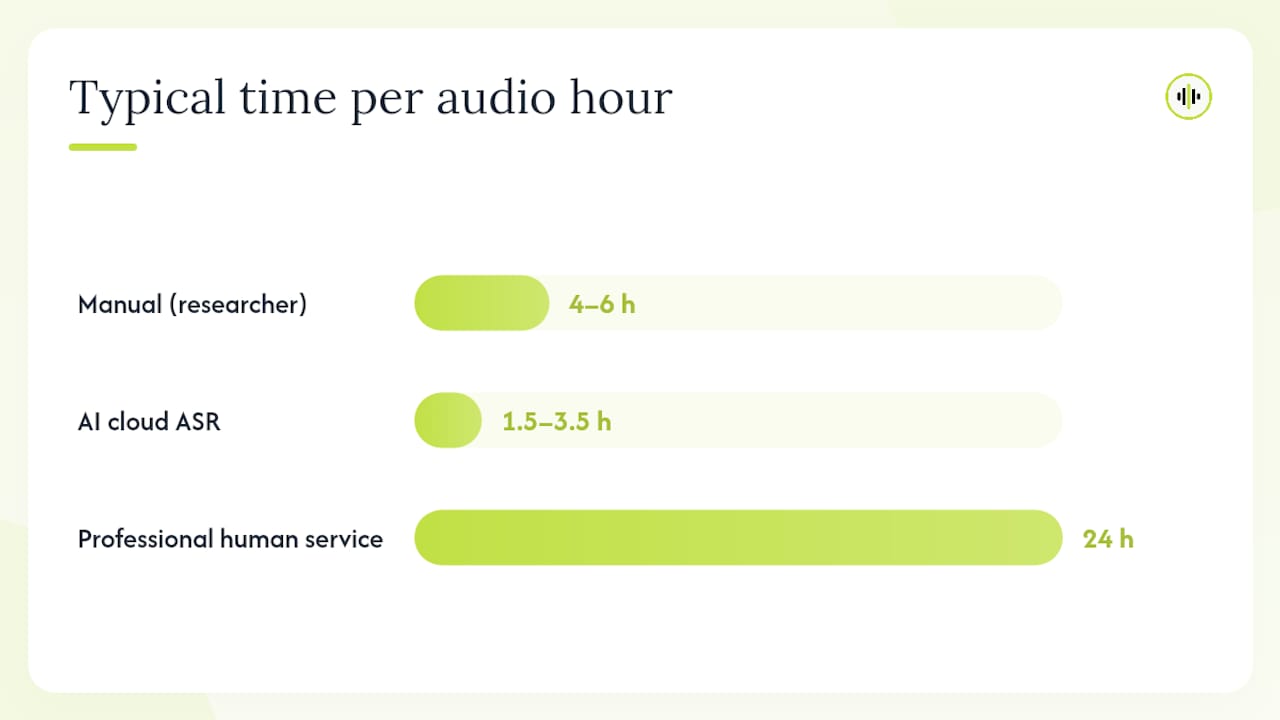
A researcher or trained transcriptionist listens and types in real time, typically using foot-pedal software such as Express Scribe. Manual transcription gives the researcher maximum control over notation style and catches nuances that ASR misses, but it is slow: common estimates put the rate at 4–6 hours per hour of audio. For a 20-interview study, that is 80–120 researcher-hours before any analysis begins.
AI cloud transcription
Cloud ASR services send audio to remote servers and return a draft transcript, often within minutes. Speed and convenience are the primary advantages. The privacy tradeoff is real: audio containing sensitive health, legal, or identifying information may be subject to data-processing agreements that conflict with IRB consent terms. Accuracy varies by accent, jargon density, and speaker overlap — published comparisons show higher word error rates in noisy conditions and multi-speaker settings.
Local/offline ASR
Whisper-family models running locally keep audio on the researcher’s machine. An LSE eprint by Battaglia (2024) reports an approximately 83% reduction in transcription time using an offline “listen-and-revise” workflow versus manual transcription, with the added benefit that no audio leaves the researcher’s device. The tradeoff is compute time: noScribe, a local GUI combining Whisper and pyannote for speaker diarization, warns that a one-hour interview can require up to three hours of processing on slower machines.
Professional human transcription services
Vetted human services (institutional or commercial) deliver the highest accuracy, particularly for technical jargon, heavy accents, and poor-quality audio. Cost and turnaround time are the constraints. Institutional transcription services available through university libraries or media labs are often the safest option for sensitive data because they operate under existing data-use agreements.
| Method | Typical time per audio hour | Approximate cost per audio hour | Privacy profile | Best for |
|---|---|---|---|---|
| Manual (researcher) | 4–6 hours | Researcher time only | Highest | CA, discourse analysis, sensitive data |
| AI cloud ASR + verification | 1.5–3.5 hours verification | Low to moderate | Moderate (data leaves device) | Thematic analysis, large corpora |
| Local/offline ASR + verification | Variable (compute-dependent) | Low (compute cost) | Highest | Sensitive data, IRB-restricted cloud use |
| Professional human service | 24 hours turnaround | Moderate to high | Depends on vendor DPA | Poor audio, heavy jargon, legal-grade accuracy |
What does a reproducible transcription workflow look like?
The canonical sequence: prepare audio files → generate draft transcript → clean and diarize → QA against audio → anonymize → export to QDA software. Each step has a discrete output that feeds the next.
- Prepare audio files (15–30 min per project): rename files to the project convention, confirm format and sample rate, log metadata, and back up originals to a separate encrypted location before any processing
- Generate draft transcript (minutes for AI; hours for manual): run ASR or begin manual transcription; for AI workflows, retain the raw output as a versioned file before any edits
- Clean and diarize (30–90 min per interview hour): assign speaker labels (I = interviewer, P1 = participant 1, etc.), correct obvious ASR errors, add timestamps at paragraph breaks or every 2–3 minutes
- QA against audio (see Section 7 for the full protocol): listen to the recording while reading the transcript; log error categories and corrections
- Anonymize (15–30 min per interview): replace names, institutions, locations, and any other direct identifiers with coded placeholders per the consent form; maintain a separate, encrypted code-key file
- Export to QDA (5–10 min per file): export in the format your software requires; retain both a master verbatim copy and the working anonymized copy
Export format guidance by QDA platform:
- NVivo: DOCX with speaker labels as paragraph headings imports cleanly; timestamps in brackets are preserved as annotations
- MAXQDA: TXT or DOCX; speaker labels formatted as
#Speaker:activate auto-coding by speaker - ATLAS.ti: DOCX or TXT; SRT files enable time-linked audio/transcript coding
Speaker diarization tips:
- Automated diarization works well for two-speaker interviews with clean audio; accuracy degrades with three or more speakers and overlapping speech
- For focus groups, manual relabeling after ASR is usually faster than correcting automated diarization errors
- Always verify speaker labels against the audio before anonymization — a mislabeled speaker is a data integrity error, not just a formatting issue
How should you choose a transcription convention?
Pick your level of detail based on your analytic method first, then document that choice in the methods appendix. The mapping is consistent across the literature: conversation analysis requires full or Jefferson-style notation; thematic analysis and most interpretivist frameworks work well with intelligent verbatim.
Full verbatim captures everything the speaker produces: false starts, filler words (“um,” “uh,” “like”), self-corrections, and repetitions. It is the minimum standard for any analysis where linguistic form is analytically relevant.
Intelligent verbatim (clean read) removes filler words, false starts, and non-semantic repetitions while preserving the semantic content of the utterance. It is faster to produce and easier to read, making it appropriate for thematic analysis, grounded theory, and content analysis.
Jefferson notation is a specialized system for conversation analysis that encodes prosody, timing, and interactional features using a standardized symbol set. It is not appropriate for most qualitative interview studies and should only be used when the analytic framework explicitly requires it.
A short notation key for intelligent verbatim transcripts:
(.)— micropause (under 0.5 seconds)(2.0)— timed pause in seconds[overlap]— overlapping speech begins(inaudible)— segment could not be transcribed((laughs))— nonverbal cue in double parentheses[?]— transcriptionist uncertain of word
For the methods appendix, include a one-paragraph description of the convention used, a short example showing the notation in practice, and a citation to the convention’s source (e.g., Jefferson 2004 for CA notation; the relevant methods paper for intelligent verbatim).
How do you verify and validate a transcript reliably?
Always verify AI-generated transcripts against the source audio and log every correction. Raw ASR output is a draft, not a finished research document.
QA checklist:
- Listen to a minimum of 10 minutes of audio per interview hour while reading the transcript simultaneously
- Conduct a full pass on any segment containing technical jargon, proper nouns, acronyms, or non-English words — these are the highest-error categories for most ASR models
- Check all speaker label assignments at turn boundaries
- Verify that punctuation does not alter the semantic meaning of an utterance (a comma versus a period can change how a coded segment reads)
Error categories to log:
- Speaker mislabel — wrong speaker assigned to a turn
- Misheard term — phonetically similar substitution (e.g., “hypertension” transcribed as “high attention”)
- Punctuation error — punctuation that changes meaning
- Inaudible segment — audio too degraded to transcribe; mark with
(inaudible)rather than guessing - Omission — a word or phrase present in the audio that is absent from the transcript
Versioning and audit trail:
Maintain two files per interview: a master verbatim file (never edited after QA is complete) and a working copy (cleaned, anonymized, and formatted for QDA import). Keep a change log — a simple text file or spreadsheet row — recording the date, editor, and nature of each correction.
Pro Tip: For projects with heavy technical vocabulary (clinical, legal, or scientific interviews), create a project-specific glossary before QA begins. Load it into your text editor’s spell-check dictionary. This catches the most common ASR substitutions in a single pass and cuts QA time on jargon-dense transcripts by a measurable margin.
How do transcripts plug into qualitative analysis software?
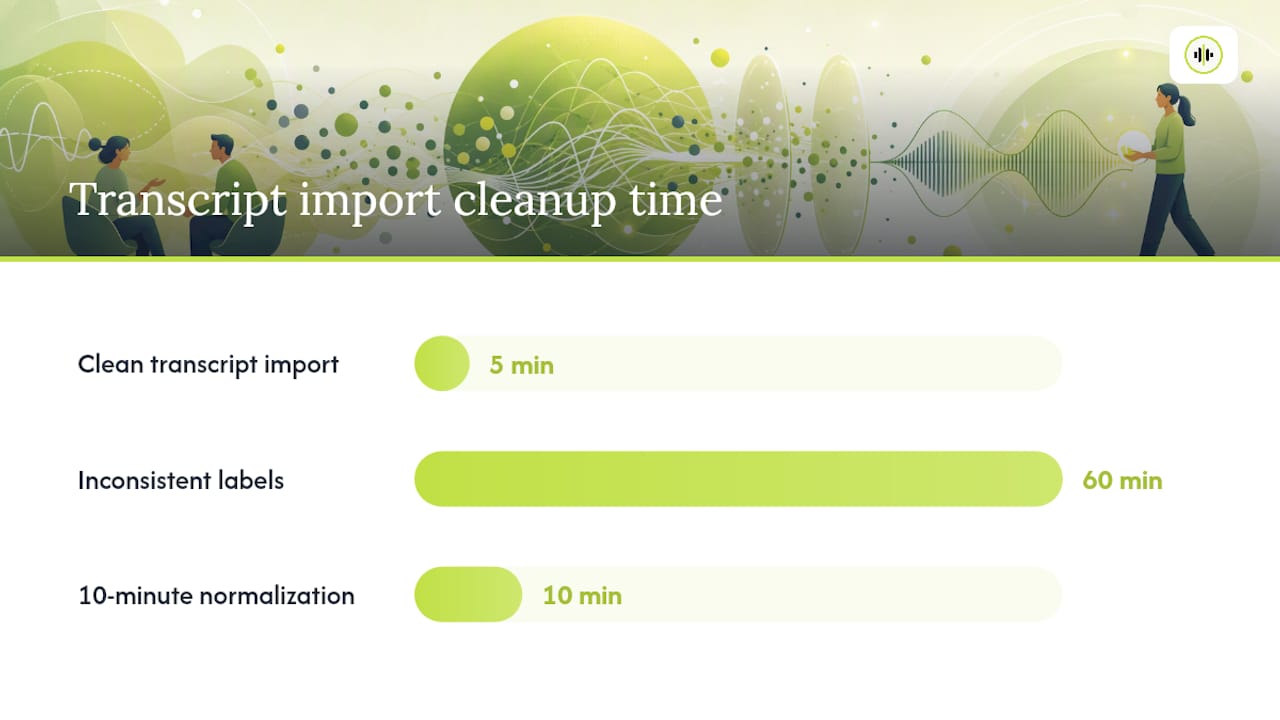
Prepared, consistently labeled transcripts import cleanly into QDA tools — but small formatting decisions made during transcription determine whether that import takes five minutes or an hour of manual cleanup.
File and labeling recommendations:
- Use consistent speaker labels throughout every transcript in the project; inconsistent labels (mixing “P1,” “Participant 1,” and “Speaker A” across files) break auto-coding routines in NVivo and MAXQDA
- Add a document header (project code, participant ID, date, interviewer) as the first three lines of every transcript file; QDA platforms use these as metadata fields
- For MAXQDA, format speaker turns as
#P1:on a new line; the#prefix triggers automatic speaker-based segmentation on import
Using timestamps and SRT/VTT exports:
SRT and VTT files preserve word-level or segment-level timestamps that link the transcript to the source audio. During coding in NVivo or ATLAS.ti, a researcher can click a coded segment and jump directly to the corresponding audio position — a significant advantage when verifying that a quote accurately represents the speaker’s tone and intent. Export formats including TXT, DOCX, SRT, and VTT support this time-linked coding workflow across all major QDA platforms.
Batch import and multi-file projects:
- Name all transcript files with the same convention and place them in a single folder before batch import; QDA platforms use file names as document names, so inconsistent naming creates a disorganized project tree
- For projects with 20+ interviews, test the import with three files first to confirm formatting is recognized correctly before loading the full corpus
- Retain the audio files in a parallel folder structure with matching names; this preserves the audio-transcript linkage for the duration of the project
Pro Tip: Before importing into NVivo or MAXQDA, run a find-and-replace pass to standardize speaker labels across all files. A 10-minute normalization step before import prevents hours of manual re-coding later.
What are the IRB and data security requirements for transcripts?
Whether you can use cloud ASR depends on your consent form language and IRB protocol terms — when in doubt, default to local/offline processing or a campus-approved service.
Consent form language to include:
- A statement that interviews will be audio-recorded and transcribed
- If cloud ASR is used: a disclosure that audio may be processed by a third-party automated service, with the service category named (e.g., “automated speech recognition software”)
- The retention period for audio recordings and transcripts
- The de-identification procedure and when identifiers will be removed
When to prefer local/offline or institutional transcription:
- Health-related interviews where audio contains protected health information (PHI) subject to HIPAA
- Legal or forensic interviews
- Studies involving vulnerable populations (minors, incarcerated individuals, undocumented persons)
- Any study where the IRB protocol specifies that data must not leave institutional servers
Harvard Library’s guidance recommends campus-licensed tools and local processing channels for sensitive data, and lists institutional media-lab resources available to university researchers as alternatives to commercial cloud services.
Storage, encryption, and access control:
- Encrypt audio and transcript files at rest using AES-256 (FileVault on macOS, BitLocker on Windows, or VeraCrypt for cross-platform)
- Store the participant code-key file separately from the transcripts — on a different encrypted drive or in a password-protected institutional repository
- Limit access to the named research team members listed in the IRB protocol; do not share files via personal email or consumer cloud storage (Google Drive personal accounts, Dropbox free tier)
- Define and document a retention and deletion schedule in the IRB protocol; delete audio files at the agreed endpoint and log the deletion
IRB documentation tips:
- Record the transcription method (manual, cloud ASR, local ASR, human service) in the data management section of the IRB protocol
- Name the specific tool or service used and describe its data-handling policy (server location, retention, deletion)
- For local/offline workflows, note that audio does not leave the researcher’s device and describe the encryption method applied
How should you benchmark ASR models before committing to one?
Run a small benchmark with audio that reflects your study’s actual conditions before selecting a model for production use. A benchmark on clean studio audio tells you nothing about performance on your field recordings.
Benchmark checklist:
- Select 5–10 representative audio files from your corpus (or pilot recordings with similar conditions)
- Include files that span the noise profiles, accent variation, speaker counts, and jargon density you expect in production
- For each file, record: word error rate (WER), diarization accuracy (speaker error rate), processing time, and cost per audio hour
- Run the same files through at least two models to generate a comparison baseline
Metrics to collect and report:
| Metric | Definition | Why it matters for research |
|---|---|---|
| Word Error Rate (WER) | (Substitutions + Deletions + Insertions) / Total words | Primary accuracy measure; report per audio condition |
| Speaker Error Rate (SER) | Incorrectly assigned speaker time / Total speech time | Critical for multi-speaker interviews and focus groups |
| Processing time | Wall-clock time from file submission to transcript delivery | Affects project timeline and researcher scheduling |
| Cost per audio hour | Total charge / audio hours processed | Directly affects research budget planning |
Interpreting results for method decisions:
Document the benchmark pipeline in your methods appendix: list the models tested, the sample size and selection criteria, the metrics collected, and the model selected with the rationale. That documentation satisfies EEAT-aligned reproducibility standards and gives peer reviewers the information they need to evaluate your data-handling decisions.
OpenTranscription’s model catalog provides access to 40+ transcription models with transparent benchmarking metrics, making it a practical starting point for researchers who need to compare WER, diarization accuracy, and per-second cost across models before committing to a production pipeline.
What experienced researchers actually do differently
Researchers who have transcribed across multiple projects converge on one practice that novices consistently skip: they verify the first two transcripts in a study immediately after generating them, before transcribing the rest of the corpus. That early check reveals whether the chosen ASR model handles the study’s specific audio conditions, speaker accents, and domain vocabulary — and it surfaces systematic errors that can be corrected in the QA protocol before they propagate across 20 or 30 files.
A naming convention established before the first interview also pays compounding dividends. A project where every file is named Interview_final_FINAL_v3_corrected.docx creates ambiguity about which version is authoritative. A project where every file follows [ProjectCode]_[ParticipantID]_[YYYYMMDD]_[Version].docx makes the master file unambiguous at every stage of the workflow.
Common mistakes to avoid:
- Treating raw ASR output as a finished transcript without audio verification
- Using inconsistent speaker labels across files in the same project (breaks QDA auto-coding)
- Failing to retain the original audio after transcription (removes the ability to re-verify or re-transcribe)
- Skipping the metadata log (makes it impossible to reconstruct the audit trail for IRB review)
- Anonymizing before QA is complete (makes it harder to verify speaker identity during error correction)
- Choosing a transcription convention after coding has begun (retroactively changes what the dataset contains)
OpenTranscription gives researchers a benchmarked, model-flexible starting point
Selecting a transcription model without benchmarking it on your audio conditions is one of the most common sources of avoidable QA overhead in qualitative research. OpenTranscription addresses that directly: the platform provides access to 40+ speech-to-text models through a single API, with transparent per-second billing and no subscription lock-in, so researchers can run a structured benchmark across models before committing to a production workflow.
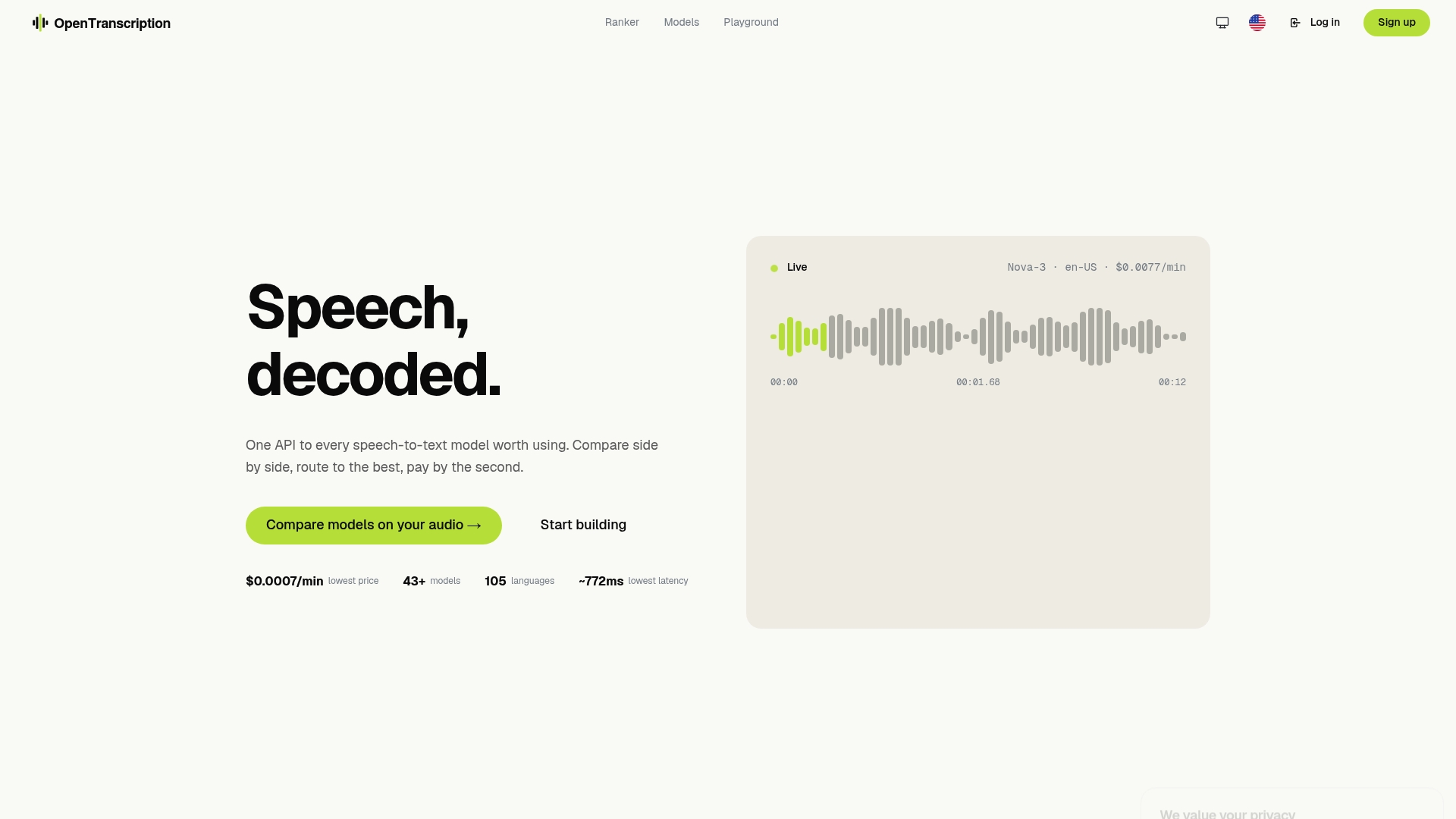
For research applications specifically, the platform’s word-level timestamps and structured transcript exports (including formats compatible with NVivo, MAXQDA, and ATLAS.ti) reduce the gap between raw ASR output and QDA-ready files. Speaker diarization is available across supported models, and for projects where audio cannot leave institutional infrastructure, the model catalog includes guidance on local/offline routing options. Researchers who need to cite their model selection in a methods statement can reference the benchmarking pipeline directly.
Compare models and run your benchmark at OpenTranscription to establish the accuracy, speed, and cost profile that fits your study’s audio conditions and IRB requirements before your first production transcription.
Sources
The sources below are organized by use case: methods justification versus technical setup.
For methods justification (cite in IRB protocols and methods sections):
- Recording & Transcription - Library Support for Qualitative Research - Research Guides at Harvard Library
- Transcribing and transcription decisions — methods paper (PMC)
- From ‘listen and repeat’ to ‘listen and revise’: How to transcribe interviews offline quickly and for free (LSE eprint)
- kaixxx/noScribe GitHub README
For technical setup and tool selection:
This article is general information, not a substitute for advice from a qualified lawyer. Consult a qualified legal professional about your own circumstances before acting on anything here.
FAQ
What is the fastest defensible workflow for transcribing research interviews?
Generate an AI draft transcript, then verify it against the audio — a process that typically takes 1.5–3.5 hours per interview hour depending on audio quality. Retain the raw ASR output as a versioned file before editing.
When should researchers avoid cloud ASR and use local transcription instead?
Use local/offline ASR when your IRB protocol restricts cloud data transfer, when interviews contain protected health information subject to HIPAA, or when participants are members of vulnerable populations.
Which export format works best for importing transcripts into NVivo or MAXQDA?
DOCX with consistent speaker labels as paragraph headings imports cleanly into both NVivo and MAXQDA. SRT files add time-linked timestamps that allow researchers to jump directly to the corresponding audio position during coding.
How do you document transcription decisions for an IRB audit trail?
Record the transcription style (verbatim, intelligent verbatim, or Jefferson notation), the tool or service used with its data-handling policy, who performed verification, and the file formats retained. Harvard Library’s qualitative research guidance identifies these as the minimum documentation items for a defensible audit trail.
What word error rate should researchers expect from AI transcription?
WER varies by audio quality, accent, and jargon density.