

For most Go applications, the fastest path to reliable speech-to-text conversion is a gRPC-capable hosted API for real-time or low-ops workloads, and a local whisper.cpp binding via mutablelogic/go-whisper when privacy, offline operation, or predictable compute cost is the constraint. Audio preprocessing with ffmpeg belongs in both pipelines.
Choose your pattern based on three criteria:
- Hosted API (gRPC streaming): real-time transcription, multi-language support, no model management, pay-as-you-go billing
- Local whisper.cpp binding (go-whisper): offline operation, data privacy, GPU-accelerated batch, fixed infrastructure cost
- Embedded SDK with native libs: specialized hardware platforms, edge devices, or constrained environments where neither cloud nor full whisper.cpp is viable
Quick pattern reference: gRPC streaming for live audio, async batch polling for long files, whisper.cpp for local or air-gapped deployments.
Pro Tip: Before writing a single line of Go, confirm your audio source format. Most transcription failures trace back to mismatched sample rates or container/codec confusion, not API errors.
Key Takeaways
For most Go speech-to-text integrations, a hosted gRPC API covers real-time and batch workloads with minimal ops burden, while go-whisper is the correct local alternative when data privacy or compute cost at scale is the binding constraint.
| Point | Details |
|---|---|
| Start with a hosted API | Use a gRPC-capable hosted API for real-time and batch PoC work; migrate to local only when cost or privacy justifies it. |
| Preprocess audio with ffmpeg | Convert all audio to 16 kHz mono linear PCM before sending; mismatched formats are the most common source of accuracy degradation. |
| Reuse clients, not connections | Instantiate one HTTP or gRPC client at startup and share it across goroutines; per-request client creation adds latency and exhausts resources. |
| Benchmark on real audio | Measure WER, p50/p95/p99 latency, and cost per minute on your actual production audio, not clean benchmark datasets. |
| OpenTranscription for model choice | OpenTranscription’s API gives Go developers access to 40+ models with per-second billing and no infrastructure management required. |
Table of Contents
- How do you transcribe a local audio file from Go?
- What are the main approaches to speech recognition in Go?
- What should you look for in a Go SDK for speech-to-text?
- Streaming vs batch: which pattern fits your Go app?
- How should you preprocess audio before sending it to a transcription API?
- What open-source Go libraries support local speech recognition?
- How do you choose between hosted API, local model, and embedded SDK?
- How do you benchmark accuracy and latency for a Go transcription integration?
- Where the conventional wisdom on Go speech-to-text gets it wrong
- OpenTranscription gives Go developers model choice without the infrastructure overhead
- Sources
How do you transcribe a local audio file from Go?
The snippet below covers the minimal path: read a WAV file, post it to a transcription endpoint, and parse the response. This pattern works for any HTTP-based Go transcription API, including OpenTranscription.
Install and import
go get github.com/mutablelogic/go-whisper@latest
For a hosted REST API, the standard net/http package is sufficient. For gRPC-based providers, add the provider’s generated Go client package.
Skeleton: read a file and post to a transcription API
package main

import (
    "bytes"
    "fmt"
    "io"
    "net/http"
    "os"
)

func main() {
    apiKey := os.Getenv("TRANSCRIPTION_API_KEY") // never hardcode
    audioFile, err := os.ReadFile("input.wav")
    if err != nil {
        panic(err)
    }

    req, err := http.NewRequest("POST",
        "https://api.example.com/v1/transcribe",
        bytes.NewReader(audioFile),
    )
    if err != nil {
        panic(err)
    }
    req.Header.Set("Authorization", "Bearer "+apiKey)
    req.Header.Set("Content-Type", "audio/wav")

    client := &http.Client{}
    resp, err := client.Do(req)
    if err != nil {
        panic(err)
    }
    defer resp.Body.Close()

    body, _ := io.ReadAll(resp.Body)
    fmt.Println(string(body))
}
Authentication
Store API keys in environment variables or a secrets manager, never in source code. For services that support Application Default Credentials (ADC), the Go SDK will pick up credentials automatically from the environment, a service account file, or a metadata server, depending on where the application runs. OpenTranscription uses bearer token authentication; set TRANSCRIPTION_API_KEY in your environment and read it with os.Getenv.
Pro Tip: Instantiate your http.Client or gRPC connection once at startup and reuse it across goroutines. Creating a new client per request burns connection setup time and exhausts file descriptors under load.
What are the main approaches to speech recognition in Go?
Three architectures cover the practical space for golang speech to text: managed cloud APIs, local model bindings, and embedded native SDKs. Each has a distinct fit.
Managed cloud APIs expose transcription over REST or gRPC. You send audio bytes, receive a transcript. The provider handles model updates, scaling, and infrastructure. Latency is network-bound, accuracy is typically high, and cost scales with audio volume.
Local model bindings (whisper.cpp via go-whisper) run inference on your own hardware. No data leaves your environment, cost is compute-only, and you control model selection. GPU acceleration is available; CPU-only inference is slower but functional.
Embedded native SDKs wrap C libraries (PocketSphinx, platform-specific voice engines) via CGO. They suit constrained or specialized environments but introduce cross-compilation complexity and native dependency management.
Decision triggers in one sentence each:
- Choose a hosted API when your team cannot manage model infrastructure and needs production-grade accuracy from day one.
- Choose a local whisper.cpp binding when data must not leave your network or when per-minute API costs exceed your compute budget at scale.
- Choose an embedded native SDK only when the target platform has no network access and cannot run whisper.cpp.
What should you look for in a Go SDK for speech-to-text?
SDK quality determines how much boilerplate you write and how many production incidents you debug. A checklist for evaluating any Go transcription API client:
- Client reuse: the SDK must support a single client instance shared across goroutines without locking or re-initialization.
- Connection lifecycle: confirm the client exposes a
Close()method and that gRPC connections are properly drained on shutdown. - Concurrent safety: verify the client is documented as goroutine-safe; if not, wrap it in a sync primitive or use a pool.
- Authentication patterns: prefer SDKs that read credentials from environment variables or ADC rather than requiring constructor injection of raw strings.
- Regional endpoints: for latency-sensitive workloads, the SDK should let you specify the nearest regional endpoint rather than routing all traffic through a single global host.
- gRPC vs REST: gRPC clients support bidirectional streaming, which is essential for real-time audio. REST clients are adequate for batch workloads but cannot maintain a persistent audio stream without polling.
The Pkg documents import paths and the API surface for local whisper.cpp integration, and serves as a concrete reference for what a well-structured Go speech package looks like.
gRPC matters for streaming because it frames audio chunks in a persistent bidirectional channel, eliminating the per-request TCP handshake overhead that makes REST unsuitable for sub-second latency targets. For batch workloads where a file is uploaded and a transcript is returned asynchronously, REST is perfectly adequate.
Pro Tip: Implement exponential backoff with jitter for all transient API errors (HTTP 429, 503, gRPC UNAVAILABLE). A fixed retry interval under load creates thundering-herd conditions that compound the original failure.
Streaming vs batch: which pattern fits your Go app?
The choice between streaming and batch is determined by latency requirements, not convenience. Use gRPC or WebSocket streaming when the application must produce transcript output while audio is still being captured. Use async batch when audio is already recorded and throughput matters more than time-to-first-token.
Streaming (gRPC/WebSocket):
- Bidirectional gRPC streams send audio chunks as they arrive and receive partial transcripts in real time.
- WebSocket streaming is an alternative for providers without gRPC support, but adds framing overhead and lacks the flow-control semantics of HTTP/2.
- REST is not viable for live streaming; a POST request blocks until the full response is ready.
Batch (async/long-running operations):
- Upload the audio file, receive a job ID, and poll for completion.
- Suitable for files longer than a few minutes where a synchronous HTTP timeout would fire before transcription finishes.
- Polling interval should use exponential backoff; a tight polling loop wastes quota and adds unnecessary load.
Streaming skeleton in Go
stream, err := client.StreamingRecognize(ctx)
if err != nil {
    return err
}
// Send audio chunks
go func() {
    buf := make([]byte, 4096)
    for {
        n, err := audioSource.Read(buf)
        if n > 0 {
            stream.Send(&StreamingRequest{AudioContent: buf[:n]})
        }
        if err == io.EOF {
            stream.CloseSend()
            return
        }
    }
}()
// Receive results
for {
    resp, err := stream.Recv()
    if err == io.EOF {
        break
    }
    fmt.Println(resp.Transcript)
}
For long audio, chunk the file into segments of 60 seconds or less before submitting to a batch endpoint. This avoids server-side timeouts and allows partial retries if one chunk fails.
Pro Tip: Run a server-side worker pool with a bounded channel to cap concurrent stream handlers. Unbounded goroutine spawning under high ingest load will exhaust memory before the CPU becomes the bottleneck.
How should you preprocess audio before sending it to a transcription API?
Convert audio to the target model’s expected encoding before sending. Most neural transcription models, including whisper.cpp-based ones, expect 16 kHz sample rate, mono channel, 16-bit linear PCM (linear16). Sending a stereo 44.1 kHz MP3 without conversion produces degraded accuracy or outright rejection.
ffmpeg is the standard preprocessing tool for this pipeline. Key conversion commands:
# Resample to 16 kHz mono WAV (linear PCM)
ffmpeg -i input.mp3 -ar 16000 -ac 1 -f wav output.wav

# Trim silence from start and end
ffmpeg -i input.wav -af silenceremove=start_periods=1:stop_periods=1 trimmed.wav

# Normalize audio levels
ffmpeg -i input.wav -af loudnorm output_normalized.wav
Common gotchas:
- Container vs codec confusion: a
.wavfile can contain MP3-encoded audio. Always specify-f wavand-acodec pcm_s16leto guarantee linear PCM output. - Variable bitrate files: VBR audio can cause duration estimation errors in some APIs. Convert to CBR or PCM before uploading.
- Sample rate mismatch: sending 8 kHz telephony audio to a model trained on 16 kHz data degrades word error rate significantly.
- Large files and timeouts: for files longer than 5 minutes, split with
ffmpeg -segment_time 60 -f segmentbefore uploading to synchronous endpoints.
For Go pipelines, invoke ffmpeg via exec.Command and pipe output directly to the transcription client rather than writing intermediate files to disk.
Pro Tip: Run ffmpeg with -v error in production pipelines to suppress informational output and surface only real errors in your Go stderr handler.
What open-source Go libraries support local speech recognition?
Two maintained options cover the practical space for local, offline go speech recognition: go-whisper and pocketsphinx-go.
mutablelogic/go-whisper
mutablelogic/go-whisper provides Go bindings for whisper.cpp, exposing both a CLI and an HTTP API that a Go service can call directly. It supports real-time and GPU-accelerated local transcription, and its unified service pattern, documented on pkg.go.dev, lets you run a local server and call it from your application over HTTP, which cleanly separates model management from application logic.
- Accuracy: on par with OpenAI Whisper model quality, significantly better than HMM-based alternatives
- GPU support: yes, via whisper.cpp CUDA/Metal backends
- Real-time: supported via the local HTTP streaming endpoint
- Licensing: MIT, permissive reuse
- CGO dependency: yes; requires a C compiler and whisper.cpp native build
xlab/pocketsphinx-go
xlab/pocketsphinx-go wraps CMUSphinx’s PocketSphinx, a lightweight HMM-based engine that runs on minimal hardware without GPU requirements.
- Accuracy: lower than whisper.cpp-based models, particularly on accented speech and noisy audio
- Resource use: very low; suitable for constrained or embedded environments
- Real-time: possible but limited by HMM architecture
- Licensing: LGPL-2.1; review redistribution terms before embedding in commercial binaries
- CGO dependency: yes; requires the PocketSphinx C library installed on the build host
| Library | Accuracy tier | GPU support | Real-time | License | CGO required |
|---|---|---|---|---|---|
| mutablelogic/go-whisper | High (neural) | Yes | Yes | MIT | Yes |
| xlab/pocketsphinx-go | Moderate (HMM) | No | Limited | LGPL-2.1 | Yes |
For privacy-sensitive workloads where accuracy matters, go-whisper is the stronger choice. PocketSphinx remains relevant for ultra-low-resource environments or legacy integrations where its HMM approach is already embedded in the system.
Pro Tip: When using CGO-dependent speech libraries, pin your Docker base image to a specific OS version and document the native library installation steps explicitly. Cross-compilation without a matching sysroot will fail silently or produce incorrect binaries.
How do you choose between hosted API, local model, and embedded SDK?
Work through this checklist in order. The first constraint that eliminates an option is the deciding factor.
- Does audio data have a regulatory or contractual requirement to stay on-premises? If yes, eliminate hosted APIs. Use go-whisper or pocketsphinx-go.
- Is real-time, sub-second latency required? If yes, a hosted gRPC API or go-whisper’s local streaming endpoint is required. PocketSphinx’s HMM latency is generally too high for live transcription.
- What languages must be supported? Whisper-based models cover a broad language set. PocketSphinx requires language-specific acoustic models, which may not exist for your target language.
- What is the expected audio volume per month? At low volume, hosted pay-as-you-go pricing is cost-efficient. At high volume, local compute may be cheaper. Model the crossover point before committing.
- Does your team have capacity to manage model infrastructure? Local models require model downloads, version management, hardware provisioning, and monitoring. Hosted APIs offload all of that.
- What are the SLA requirements? Hosted APIs carry provider SLAs. Local models carry only the SLA of your own infrastructure.
Red flags to avoid:
- Downloading model weights at container startup in production (use a pre-baked image or a model volume)
- Creating a new HTTP or gRPC client per transcription request
- Spawning an unbounded number of goroutines for concurrent stream ingestion without a worker pool
- Ignoring the
Content-Typeand sample rate requirements of the target API
How do you benchmark accuracy and latency for a Go transcription integration?
A reproducible benchmark requires a fixed audio dataset, consistent preprocessing, and precise measurement points in the Go code.
Step-by-step test plan
- Select a diverse audio dataset: include clean studio recordings, telephone-quality audio (8 kHz upsampled to 16 kHz), accented speech, and audio with background noise. A minimum of 30 clips across these categories produces meaningful WER estimates.
- Preprocess consistently: run every clip through the same ffmpeg pipeline (16 kHz, mono, linear PCM) before any test run. Inconsistent preprocessing invalidates cross-model comparisons.
- Define throughput scenarios: test single-stream sequential processing and a concurrent scenario (e.g., 10 simultaneous goroutines each submitting a clip) to surface connection pool and rate-limit behavior.
- Measure at the right points: record timestamps immediately before sending the request and immediately after receiving the first token (time-to-first-token) and the full transcript (end-to-end latency).
- Repeat each scenario at least 10 times and report p50, p95, and p99 latency percentiles, not averages, which mask tail behavior.
Key metrics
| Metric | What it measures | Target guidance |
|---|---|---|
| WER (word error rate) | Transcript accuracy vs reference | Lower is better; context-dependent |
| p50 / p95 / p99 latency | Latency distribution across requests | p99 reveals worst-case user experience |
| Time-to-first-token | Perceived responsiveness for streaming | Critical for real-time UX |
| Cost per audio minute | Economic efficiency | Model against your volume projection |
| CPU/memory footprint | Infrastructure sizing for local models | Measure under concurrent load |
Latency measurement skeleton
start := time.Now()
resp, err := client.Transcribe(ctx, audioBytes)
firstToken := time.Since(start) // record when first partial result arrives
// ... receive full response
total := time.Since(start)
log.Printf("first_token_ms=%d total_ms=%d", firstToken.Milliseconds(), total.Milliseconds())
Seed your audio list with a fixed slice and iterate deterministically so runs are reproducible. Use the same ffmpeg pipeline for every run. After collecting results, plot the latency distribution and WER per audio category to identify where a model degrades.
Pro Tip: Test with your actual production audio, not clean benchmark datasets. A model that scores well on LibriSpeech may perform significantly worse on your domain-specific vocabulary or recording conditions.
Where the conventional wisdom on Go speech-to-text gets it wrong
The standard advice is to pick the most accurate model and wire it up. That framing misses the real constraint most teams hit: operability, not accuracy.
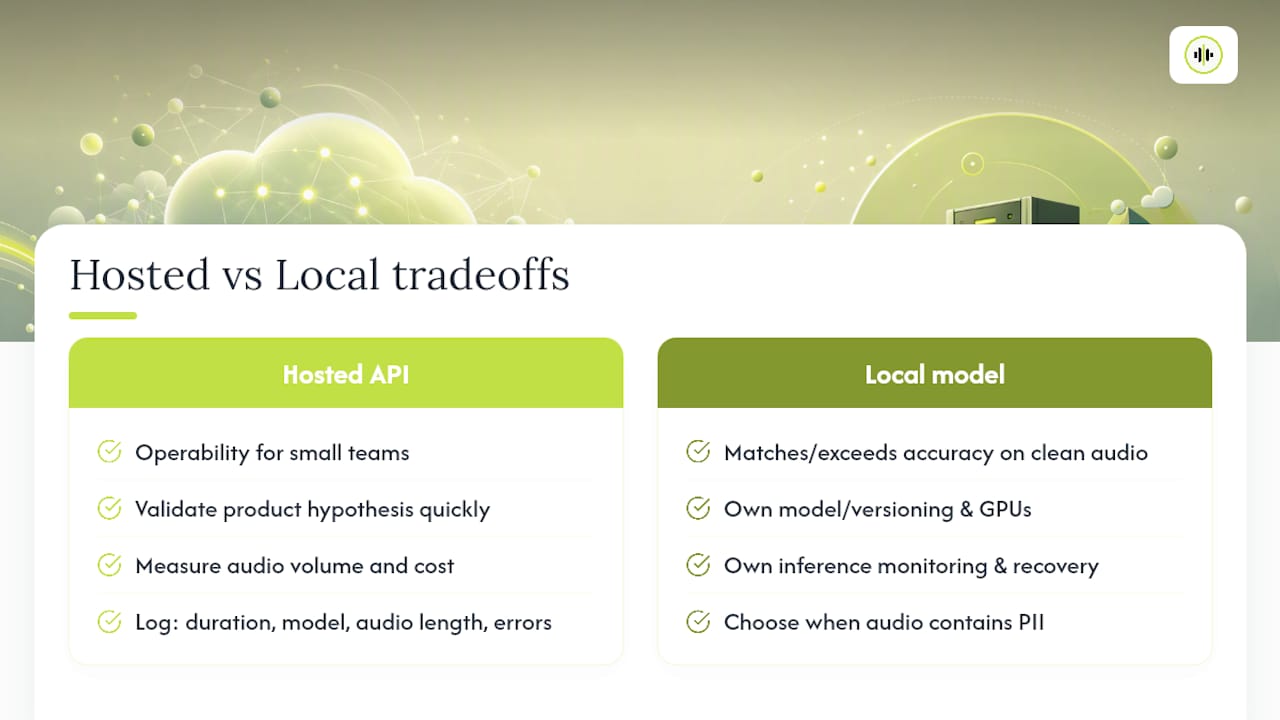
A local whisper.cpp deployment via go-whisper can match or exceed hosted API accuracy on clean audio. But it also means your team owns model versioning, GPU provisioning, inference monitoring, and failure recovery. For a team of two shipping a product, that operational surface is a liability, not an asset. The hosted API is not a compromise; it is the correct architectural choice for that context.
The reverse error is equally common: teams default to a hosted API for a workload where audio contains sensitive PII, then spend months retrofitting data handling controls that a local model would have made unnecessary from the start. The privacy constraint should be the first question, not an afterthought.
The incremental adoption path that works in practice: start with a hosted API to validate the product hypothesis, measure actual audio volume and cost, then evaluate whether a local model is justified by the numbers. Most teams that migrate to local inference do so because cost at scale becomes the dominant factor, not because accuracy was insufficient.
One operational note that rarely appears in tutorials: instrument your transcription calls with structured logging from day one. Log request duration, model used, audio duration, and error codes. Without that telemetry, debugging latency regressions or accuracy drops in production is guesswork.
OpenTranscription gives Go developers model choice without the infrastructure overhead
When your Go application needs access to 40+ transcription models, transparent per-second billing, and built-in benchmarking across cost, accuracy, and speed, OpenTranscription is the practical alternative to managing that model catalog yourself.
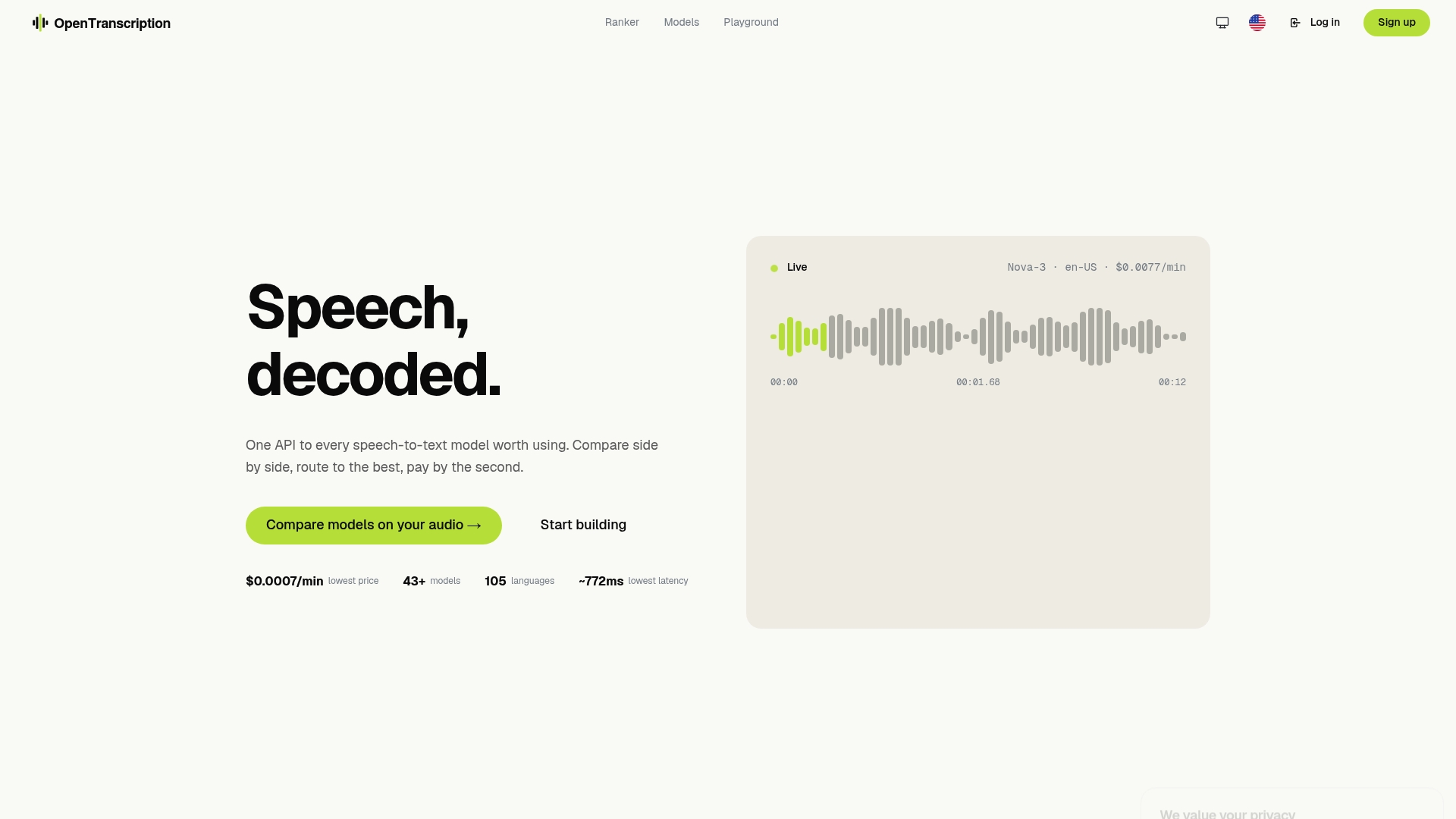
The API supports real-time streaming, speaker diarization, and 105+ languages through a single integration point. For Go developers, that means one authenticated HTTP or gRPC client, one billing relationship, and the ability to switch models without changing application code. Structured transcripts include word-level timestamps and confidence scores, which simplifies downstream processing in Go pipelines.
Pricing is pay-as-you-go per second of audio processed, with no subscription lock-in. For teams running the decision checklist in this guide, OpenTranscription fits the “hosted API” column: low ops, high accuracy, and a model catalog you can query programmatically to select the right model for your latency and cost targets.
Sources
The following repositories, documentation pages, and tools are the primary references for implementing Go speech-to-text as described in this guide.
Consult each SDK’s documentation and model catalog for current endpoint URLs, supported regions, and model version details, as these change more frequently than the integration patterns described here.