OpenTranscription is the strongest default choice for most developer integrations, offering a model-agnostic API that routes to and benchmarks 30+ speech-to-text models with per-second billing, structured transcripts, and support for 105+ languages. For teams that need to evaluate multiple models without managing separate vendor contracts, it removes the single biggest friction point in transcription procurement. Below are the situational runner-ups worth considering alongside it:
- Best for low-latency realtime: ElevenLabs Scribe v2 — advertises low end-to-end latency for streaming workloads
- Best for on-device/offline: Picovoice Leopard — local processing with no data leaving the device
- Best for enterprise compliance (AWS): Amazon Transcribe — deep AWS ecosystem integration, HIPAA-eligible specialty models
- Best for broad language/dialect coverage: Speechmatics — wide multi-language support and live captioning features
- Best for research/batch: OpenAI Whisper API — open model family, strong batch accuracy, low per-request cost
Table of Contents
- What does the best transcription API comparison look like?
- How do you pick the right transcription API for your project?
- In-depth profiles: which API fits your specific requirements?
- How were these APIs evaluated and benchmarked?
- What do transcription API pricing models actually cost?
- What integration patterns should developers follow?
- What compliance and privacy requirements apply to transcription APIs?
- What is the final recommendation for teams ready to prototype?
- Key Takeaways
- OpenTranscription gives you access to 30+ models through one API
- Further reading and benchmark resources
What does the best transcription API comparison look like?
The table below maps the primary evaluation dimensions across the shortlisted providers. Cells reflect documented capabilities and vendor claims; validate latency and WER against your own audio before committing.
| Provider | Accuracy (WER) | Realtime Latency | Languages | Diarization | Timestamps & Confidence | Customization | Pricing Shape | Developer Experience | Privacy & Compliance |
|---|---|---|---|---|---|---|---|---|---|
| OpenTranscription | Model-dependent; routes to best-fit model | Model-dependent; realtime routing supported | 105+ | Yes (via routed models) | Word-level timestamps + confidence scores | Model selection by cost/accuracy/speed | Per-second, no subscription | Unified API, SDKs, structured transcripts | Transparent retention; enterprise plans |
| OpenAI Whisper API | Strong batch WER on clean audio | Batch-optimized; limited streaming | 90+ | Limited | Word-level (large-v3) | Open weights; fine-tunable | Per-minute; free tier via open weights | REST API; broad community tooling | Data processed on OpenAI infra |
| AssemblyAI | Competitive on clean speech | Near-realtime; WebSocket streaming | 105+ | Yes | Word-level + confidence | Custom vocabulary | Per-minute; free tier available | Strong SDK coverage; post-processing pipeline | SOC2 Type 2; data retention controls |
| Deepgram | Low WER; strong on noisy audio | Sub-300 ms streaming | 30+ | Yes | Word-level + confidence | Custom vocabulary + model training | Per-minute; free tier | Developer-first SDKs; WebSocket streaming | SOC2 Type 2; HIPAA-eligible |
| Google Cloud Speech-to-Text | Competitive; multiple model tiers | Streaming supported | 125+ | Yes | Word-level | Custom classes | Per-second billing | REST + gRPC; broad GCP integration | SOC2; HIPAA-eligible; data residency options |
| Amazon Transcribe | Strong; medical variant available | Streaming supported | 100+ | Yes | Word-level | Custom vocabulary + medical | Per-second | AWS SDK; deep AWS integration | HIPAA-eligible; SOC2; data residency |
| Microsoft Azure Speech Services | Competitive; custom neural voice | Streaming supported | 100+ | Yes | Word-level | Custom Speech (fine-tuning) | Per-second | Azure SDK; enterprise support | SOC2; HIPAA; ISO 27001; Azure compliance |
| Rev AI | High; human-in-the-loop option | Async/near-realtime | English-primary | Yes | Word-level | Limited | Per-minute; human review add-on | REST API | SOC2; HIPAA-eligible |
| IBM Watson Speech to Text | Competitive; domain models | Streaming supported | 15+ | Yes | Word-level | Custom language/acoustic models | Per-minute; Lite tier | REST + WebSocket; on-prem option | HIPAA; SOC2; on-prem deployment |
| Speechmatics | High; strong dialect coverage | Streaming; live captioning | 50+ | Yes | Word-level | Custom dictionary | Per-hour/enterprise | REST + WebSocket; enterprise focus | ISO 27001; HIPAA; SOC2 |
| ElevenLabs Scribe v2 | High accuracy claimed | ~150 ms realtime | 90+ | Yes | Word-level | Limited | Per-minute | REST + WebSocket | Standard cloud retention |
| Picovoice Leopard | Competitive on-device | On-device; no network latency | 20+ | No | Word-level | Custom wake word/model | Per-device licensing | SDK-first (iOS, Android, Linux) | On-device; no data transmission |
| Gladia | Competitive | Near-realtime | 100+ | Yes | Word-level | Limited | Per-minute | REST API | Standard cloud |
| Dragon by Nuance | High; medical/legal models | Desktop-local | English-primary (medical/legal) | Limited | Word-level | Domain-specific models | License/subscription | Desktop + server SDK | On-prem/cloud; HIPAA (medical) |
| Soniox | High timestamp fidelity | Near-realtime | 50+ | Yes | Word-level + confidence | Custom vocabulary | Per-minute | REST + WebSocket | Standard cloud |
| Cartesia | Niche dialect focus | Near-realtime | Regional/niche | Limited | Word-level | Limited | Per-minute | REST API | Standard cloud |
| Mistral Voxtral / Voxtral Mini | Emerging; compact models | Inference-optimized | Multilingual | Limited | Word-level | Fine-tunable | Research/API pricing | REST API | Depends on deployment |
| NVIDIA Parakeet | High on GPU infra | GPU-accelerated | English-primary | Limited | Word-level | Custom training on GPU | Self-hosted / cloud | NVIDIA NeMo SDK | Self-hosted; full data control |
| Realtime STT (Inworld) | Optimized for conversational AI | Sub-300 ms | English-primary | Limited | Word-level | Conversational context tuning | Per-session/API | SDK for voice agents | Standard cloud |
Takeaway by use case: OpenTranscription fits teams that need to compare and switch models without re-integrating. ElevenLabs Scribe v2 is a preferred pick for low-latency live voice UIs. Picovoice Leopard is the only credible option when data must never leave the device. Amazon Transcribe and Azure Speech Services suit regulated enterprises already committed to those cloud ecosystems. Speechmatics is the natural choice when dialect breadth and live captioning are non-negotiable.
How do you pick the right transcription API for your project?
Choosing a speech-to-text API is not primarily a vendor decision. It is a requirements-mapping exercise, and the teams that get it wrong almost always skip the PoC and rely on vendor benchmark sheets that were measured on clean studio audio.
Primary evaluation criteria
- Word Error Rate (WER) on your domain audio — benchmark numbers from vendor sites are measured on standard corpora (LibriSpeech, Common Voice). Your call center recordings, medical dictation, or podcast audio will produce different WER. Measure on a representative sample of at least 30–60 minutes of your actual audio.
- Streaming latency budget — voice UIs and live captioning typically require end-to-end latency under 300 ms; post-call analytics tolerate seconds. Define your budget before evaluating.
- Language and dialect coverage — vendor language counts can include regional variants, so headline numbers like “90+” or “105+” may not cover your target dialect. Test the specific locale, not the language family.
- Speaker diarization quality — multi-speaker accuracy degrades with overlapping speech and similar voices. If diarization is core to your workflow, test it explicitly with realistic multi-speaker audio.
- Timestamps and confidence scores — word-level timestamps are table stakes for subtitle generation and search indexing; confidence scores enable downstream filtering and human review routing.
- Customization depth — custom vocabulary handles domain terms (drug names, product SKUs); custom acoustic models handle accent or noise profiles. Know which you need before evaluating.
- Pricing shape — per-second billing is more granular than per-minute, which matters for short utterances. Per-hour billing (used by some enterprise providers) can be cheaper at scale but harder to forecast for variable workloads.
- Data residency and compliance — HIPAA-eligible processing requires a signed Business Associate Agreement (BAA). SOC2 Type 2 and ISO 27001 are the baseline for enterprise procurement. On-prem or on-device deployment is the only option for some regulated environments.
PoC checklist
- Collect 30–60 minutes of representative audio covering your primary use case (domain vocabulary, target accent, expected background noise level, codec/sample rate).
- Define target WER and latency thresholds before running tests — not after seeing results.
- Test at least two models on the same audio set to establish a baseline comparison.
- Measure streaming latency end-to-end from audio chunk send to first-word receipt, not just the vendor’s published figure.
- Verify diarization on a multi-speaker sample with at least three speakers and some overlapping speech.
- Request a data processing agreement or BAA from any vendor handling regulated data, even during evaluation.
- Estimate monthly cost using your actual audio volume and the vendor’s billing increment (per-second vs per-minute vs per-hour).
Pro Tip: Build your PoC audio set from three distinct conditions: clean studio-quality audio, telephone-band (8 kHz) audio, and a noisy environment sample. A model that ranks first on clean audio often drops two positions on telephone-band recordings. That mismatch is the most common source of post-deployment accuracy surprises.
Dataset representativeness is the single most underweighted factor in API selection. Accent, codec, and background noise each shift WER independently. A model trained heavily on North American English broadcast speech will underperform on accented English call center audio even if its published WER on LibriSpeech is excellent.

In-depth profiles: which API fits your specific requirements?
OpenTranscription
OpenTranscription is a model-agnostic routing layer that gives developers access to 30+ speech-to-text models through a single API, with the ability to select models by cost, accuracy, or speed without re-integrating for each vendor. Its structured transcripts include word-level timestamps and confidence scores, and the platform supports real-time streaming, speaker diarization, and 105+ languages. Per-second billing with no subscription removes the commitment friction that slows PoC cycles.
Strengths:
- Single integration point for 30+ models, including leading cloud and open-weight options
- Model selection by cost/accuracy/speed trade-off at request time
- Word-level timestamps and confidence scores on structured output
- Real-time streaming and speaker identification supported
- Transparent per-second billing; enterprise plans with invoicing available
Limitations:
- Accuracy ceiling is bounded by the underlying routed model; OpenTranscription does not train its own acoustic model
- Teams with strict single-vendor procurement policies may prefer a direct vendor relationship
PoC suggestion: Upload a 10-minute sample of your domain audio, run it through three model configurations (accuracy-optimized, latency-optimized, cost-optimized), and compare WER and per-second cost across the outputs using the model catalog.
OpenAI Whisper API
Whisper-large is a well-characterized open-weight model family with strong batch transcription accuracy on clean and moderately noisy audio. The hosted API provides straightforward REST access; the open weights allow self-hosted fine-tuning for domain adaptation. Streaming support is limited compared to purpose-built realtime APIs, making it a better fit for post-processing pipelines than live voice UIs. The GPT-4o Transcribe family extends the OpenAI transcription offering with multimodal context, though its streaming behavior and latency profile differ from Whisper-large.

Strengths: Strong batch WER, open weights for fine-tuning, broad community tooling, competitive per-minute pricing. Limitations: Limited native streaming; latency unsuitable for sub-300 ms voice UI requirements.
AssemblyAI
AssemblyAI wraps competitive transcription accuracy with a post-processing pipeline that includes auto-summaries, auto-chapters, sentiment analysis, and entity detection. For developer teams that need more than raw transcripts, this layered approach reduces the number of downstream API calls. WebSocket streaming is available, though latency is better characterized as near-realtime than sub-200 ms. AssemblyAI’s own comparison of free speech-to-text APIs provides useful context on the open-source alternatives.
Strengths: Feature-rich post-processing, strong SDK coverage, SOC2 Type 2, free tier available. Limitations: Per-minute billing increments can inflate cost for short utterances; post-processing adds latency for pure transcription use cases.
Deepgram
G2 user comparisons consistently highlight Deepgram’s API-first developer experience as its primary differentiator. WebSocket streaming with sub-300 ms latency, custom vocabulary support, and well-documented SDKs make it the natural choice for developer teams shipping fast. SelectHub’s assessment positions Deepgram as the developer-focused option in the Deepgram vs Speechmatics comparison, with strong accuracy on noisy audio and HIPAA-eligible processing available.
Strengths: Developer-first SDKs, low streaming latency, custom vocabulary, HIPAA-eligible, SOC2 Type 2. Limitations: Language coverage (30+ languages) is narrower than Speechmatics or Google; custom model training requires higher-tier plans.
PoC suggestion: Test WebSocket streaming with a 60-second live audio sample and measure first-word latency; compare against your latency budget.
Google Cloud Speech-to-Text
Google’s offering spans multiple model tiers (Chirp, telephony, medical) and integrates natively with the broader Google Cloud Platform stack. With 125+ supported languages and per-second billing, it is well-suited to enterprises already operating within GCP. HIPAA-eligible processing and data residency controls are available. The breadth of model options is an advantage for teams with heterogeneous audio types, though navigating model selection adds configuration overhead.
Strengths: 125+ languages, per-second billing, HIPAA-eligible, deep GCP integration, multiple model tiers. Limitations: Model selection complexity; pricing can escalate with enhanced model tiers.
Amazon Transcribe
Amazon Transcribe’s strongest differentiator is its specialty model ecosystem: Amazon Transcribe Medical handles clinical dictation with HIPAA-eligible processing, and the standard service supports 100+ languages with custom vocabulary and custom language models. For AWS-centric teams, the native IAM integration and VPC endpoint support simplify compliance architecture. The Amazon Transcribe Medical profile details the specific capabilities and limitations of the medical variant for clinical workflows.
Strengths: HIPAA-eligible, SOC2, specialty medical model, deep AWS integration, per-second billing. Limitations: Medical model is English-only; performance on non-English audio is less consistent than on English.
Microsoft Azure Speech Services
Azure Speech Services is the compliance-first choice for organizations standardized on Microsoft infrastructure. Custom Speech fine-tuning, ISO 27001, SOC2, and HIPAA attestations, combined with Azure’s data residency controls, satisfy most enterprise procurement requirements. The Custom Neural Voice feature is unique among the shortlisted providers. Per-second billing and broad language support (100+) round out a capable offering, though the Azure-native integration path creates friction for teams not already in the Microsoft ecosystem.
Strengths: ISO 27001, HIPAA, SOC2, Custom Speech fine-tuning, 100+ languages, per-second billing. Limitations: Best value realized within Azure; standalone use adds ecosystem overhead.
Rev AI
Rev AI’s distinguishing feature is its human-in-the-loop option: automated transcription can be routed to human reviewers for verification, which is valuable for legal, compliance, or high-stakes transcripts where automated WER alone is insufficient. The API is primarily REST-based with English as the primary supported language for human review. SOC2 and HIPAA-eligible processing are available.
Strengths: Human review option, HIPAA-eligible, SOC2, high accuracy on English. Limitations: Human review adds turnaround time and cost; language coverage for automated-only workflows is narrower than cloud-native alternatives.
IBM Watson Speech to Text
IBM Watson’s primary differentiator is on-premises deployment. For regulated industries where audio data cannot leave a private data center, Watson provides a credible cloud or on-prem option with custom language and acoustic model training. Language coverage (15+ languages) is narrower than cloud-native competitors, and the product’s development cadence has slowed relative to newer entrants.
Strengths: On-prem and hybrid deployment, custom language/acoustic models, HIPAA, SOC2. Limitations: Narrower language coverage; slower feature velocity than cloud-native alternatives.
Speechmatics
Toolradar’s 2026 comparison highlights Speechmatics’ ISO 27001, HIPAA, and SOC2 compliance alongside its broad language and dialect coverage as its primary enterprise differentiators. In the speechmatics vs deepgram comparison, G2 users specifically praise Speechmatics for live captioning and speaker separation, making it the stronger fit for media workflows and global content teams. The Speechmatics Ursa model family targets high-accuracy batch transcription at scale.
Strengths: 50+ languages with strong dialect coverage, live captioning, ISO 27001, HIPAA, SOC2, speaker diarization. Limitations: Per-hour billing can be harder to forecast for variable-volume workloads than per-second alternatives; developer tooling is less polished than Deepgram’s.
ElevenLabs Scribe v2
ElevenLabs Scribe v2 Realtime advertises low end-to-end latency with support for 90+ languages, positioning it as the latency-first option for live voice UIs and real-time captioning. The batch variant claims higher accuracy for recorded audio. OpenTranscription’s applied analysis of Scribe v2 notes that the underlying model architecture is not publicly disclosed, which limits independent reproducibility of benchmark claims.
Strengths: ~150 ms realtime latency claim, 90+ languages, high accuracy on clean audio, word-level timestamps. Limitations: Model architecture undisclosed; customization options are limited compared to Deepgram or Azure.
Picovoice Leopard
Picovoice Leopard processes audio entirely on-device with no network transmission, making it the only shortlisted option that eliminates cloud data exposure by design. SDK support spans iOS, Android, Linux, macOS, and Windows. Language coverage is narrower (20+ languages) and speaker diarization is not natively supported, but for privacy-critical applications or environments with unreliable connectivity, the on-device architecture is a hard requirement that no cloud API can satisfy.
Strengths: On-device processing, no data transmission, broad platform SDK support, word-level timestamps. Limitations: No speaker diarization; narrower language coverage; accuracy ceiling lower than large cloud models.
Remaining providers: Gladia, Dragon by Nuance, Soniox, Cartesia, Mistral Voxtral, NVIDIA Parakeet, Realtime STT (Inworld)
Gladia bundles transcription with downstream audio intelligence features (topic detection, summarization) in a single API call, reducing integration surface for teams that need both. Dragon by Nuance remains the reference product for medical and legal dictation workflows, with decades of domain-specific model training; its desktop-local processing also addresses data residency concerns for clinical environments. Soniox emphasizes timestamp fidelity and confidence score precision, making it a candidate for subtitle generation and search indexing workflows where timing accuracy is critical.
Cartesia targets niche regional and dialect coverage where larger providers underperform. Mistral Voxtral and Voxtral Mini are compact, inference-efficient models suited to research experimentation and low-footprint deployment scenarios. NVIDIA Parakeet is designed for teams with GPU infrastructure that need high-throughput batch transcription and custom model training via the NVIDIA NeMo framework. Realtime STT (Inworld) is optimized for conversational AI and voice agent pipelines, with tight feedback loop latency for agent turn-taking.
Pro Tip: For GPU-accelerated batch workloads, NVIDIA Parakeet via NeMo can be fine-tuned on domain audio and deployed on your own infrastructure, giving full data control and throughput scaling without per-minute billing. The trade-off is the operational overhead of managing GPU infra and model versioning.
How were these APIs evaluated and benchmarked?
Methodology overview
Benchmark comparisons in this article draw on OpenTranscription’s internal model catalog and benchmark data, vendor-published documentation, and independent community evaluations including a Reddit speechtech benchmark thread covering 12+ APIs under varied real-world conditions. No single benchmark set covers all providers; the table below reflects representative ranges from available evidence.
Test audio conditions used across referenced benchmarks:
- Clean speech (studio-quality, 16 kHz, 16-bit PCM)
- Telephone-band audio (8 kHz, G.711 codec)
- Noisy environment (SNR 10–15 dB, mixed background)
- Multi-speaker (3–5 speakers, some overlap)
- Domain-specific vocabulary (medical, legal, technical)
Measurement procedures:
- WER calculated as (substitutions + deletions + insertions) / total reference words on a held-out test set
- Streaming latency measured end-to-end: audio chunk sent to first recognized word received, including network round-trip
- Repeatability: tests run with fixed seed audio files; latency averaged across 10 consecutive requests per condition
| Provider | WER Range (clean audio) | WER Range (noisy/telephone) | Streaming Latency Range | Test Condition Notes |
|---|---|---|---|---|
| OpenTranscription (accuracy-optimized routing) | Model-dependent | Model-dependent | Model-dependent | Routes to best-fit model per request |
| OpenAI Whisper-large | Low | Moderate | Batch-only (seconds) | Strong on clean; degrades on telephone-band |
| Deepgram Nova-2 | Low | Low-moderate | 150–300 ms | Strong noisy audio performance |
| AssemblyAI | Low-moderate | Moderate | under 300 ms | Near-realtime; post-processing adds latency |
| Google Cloud Speech-to-Text (Chirp) | Low | Low-moderate | under 300 ms | Multiple model tiers; Chirp strongest |
| Amazon Transcribe | Low | Moderate | under 300 ms | Medical variant tested separately |
| Azure Speech Services | Low | Low-moderate | under 300 ms | Custom Speech improves domain WER |
| Speechmatics Ursa | Low | Low | under 300 ms | Strong dialect and noisy audio performance |
| ElevenLabs Scribe v2 Realtime | Low | Moderate | ~150 ms (vendor claim) | Vendor-published; independent validation limited |
| Picovoice Leopard | Moderate | Moderate-high | On-device (no network) | Accuracy lower than large cloud models |
Benchmark caveats: WER ranges are indicative, not definitive. Domain mismatch is the primary driver of real-world accuracy gaps. A model with low WER on broadcast English can produce substantially higher WER on accented call center audio. Vendor latency figures, including ElevenLabs’ ~150 ms claim, reflect server-side processing and should be validated with your client network and buffering configuration before treating them as production guarantees.
What do transcription API pricing models actually cost?
Pricing shapes and billing increments
Most cloud transcription APIs bill per second or per minute of audio processed. The distinction matters more than it appears: a 10-second utterance billed at a per-minute increment costs 6× more per unit than the same utterance billed per second. Per-minute vs per-hour billing intervals directly affect cost math for variable-volume workloads, particularly when audio jobs are short and frequent.
| Provider | Billing Model | Approximate Headline Rate | Free Tier | Enterprise |
|---|---|---|---|---|
| OpenTranscription | Per-second | Varies by routed model; transparent markup | Available | Invoicing + custom deployment |
| OpenAI Whisper API | Per-minute | Competitive per-minute rate | Via open weights (self-hosted) | Volume pricing |
| AssemblyAI | Per-minute | Competitive per-minute rate | Free tier available | Custom |
| Deepgram | Per-minute | Competitive per-minute rate | Free tier available | Volume + HIPAA plans |
| Google Cloud Speech-to-Text | Per-second | Tiered by model; standard/enhanced | Free monthly quota | Committed use discounts |
| Amazon Transcribe | Per-second | Tiered; medical higher | Free tier (first year) | Reserved capacity |
| Azure Speech Services | Per-second | Tiered by feature | Free tier | Enterprise agreement |
| Rev AI | Per-minute | Higher than automated-only peers | Limited | Human review add-on |
| IBM Watson | Per-minute | Lite tier (free) | Lite tier | On-prem licensing |
| Speechmatics | Per-hour / enterprise | Per-hour for standard; enterprise contract | Limited trial | Enterprise contract |
| ElevenLabs Scribe v2 | Per-minute | Competitive | Limited | Custom |
| Picovoice Leopard | Per-device licensing | Annual per-device fee | Limited SDK trial | Volume licensing |
Worked cost examples
Scenario A: 100 hours/month of recorded audio (batch post-processing) At a representative per-minute rate of $0.006/minute (a common tier for standard cloud APIs), 100 hours equals 6,000 minutes, producing an approximate monthly cost of $36. Per-second billing at an equivalent rate would yield the same figure for full-minute audio but would reduce cost for short-utterance workloads where many clips are under 60 seconds.
Scenario B: 10 hours/month of realtime streaming Realtime streaming at 600 minutes/month at $0.006/minute produces approximately $3.60/month at the base rate. Enhanced or realtime-specific model tiers typically carry a premium of 2–4× the standard rate, pushing the estimate to $7–$15/month for this volume. At per-hour billing (Speechmatics’ model), 10 hours would be billed as a single unit, which can be more economical at sustained high volume but less predictable for variable workloads.
Pro Tip: Route short utterances (under 10 seconds) through a per-second billed provider and longer batch jobs through a per-minute provider. The billing increment mismatch is the most overlooked cost lever in multi-model architectures, and OpenTranscription’s per-second billing makes this routing decision transparent.
What integration patterns should developers follow?
Integration checklist
- SDK availability: Confirm SDK support for your runtime (Python, Node.js, Go, Java, iOS, Android). Missing SDK support means building and maintaining a raw HTTP or WebSocket client.
- REST vs WebSocket streaming: REST is appropriate for batch and near-realtime; WebSocket is required for sub-500 ms streaming. Confirm the provider supports your required transport.
- Sample rate and codec support: Most APIs accept 16 kHz 16-bit PCM as the baseline; some support 8 kHz for telephony. Resampling on the client adds latency and CPU overhead.
- Connection resilience: WebSocket connections drop. Implement exponential backoff with jitter and define a maximum retry window before falling back to a buffered batch request.
- Backpressure handling: For streaming, define what happens when the server cannot keep up with the audio send rate. Buffering on the client risks latency spikes; dropping frames risks accuracy loss.
- Retry semantics: Idempotent batch requests can be retried safely; streaming sessions cannot. Design your error handling accordingly.
- Batching strategy: For non-realtime workloads, batching audio into 5–15 minute chunks reduces API call overhead and can unlock volume pricing tiers.
Latency tuning
End-to-end streaming latency has three components: audio chunking interval (client-side), network round-trip, and model inference time. Reducing chunk size from 500 ms to 100 ms lowers perceived latency but increases the number of API calls and the risk of mid-word cuts. A 200–250 ms chunk interval is a practical starting point for most voice UI applications. Low-latency realtime claims are meaningful only when validated end-to-end with your client network, not just the vendor’s server-side figure.
For scaling, define your peak concurrency requirement before selecting a provider. Some APIs enforce per-account concurrency limits at lower tiers; exceeding them produces 429 errors that are difficult to handle gracefully in streaming contexts. Request concurrency limit documentation during procurement.
Pro Tip: Instrument your integration with three metrics from day one: time-to-first-word (TTFW), end-to-end transcript latency, and error rate by error type (network timeout, model error, rate limit). TTFW is the metric users perceive; the others tell you where to fix it.
Sample code for WebSocket streaming, batch REST submission, and structured transcript parsing is available in the OpenTranscription developer documentation and blog.
What compliance and privacy requirements apply to transcription APIs?
Compliance checklist
- HIPAA BAA: — Required for any audio containing Protected Health Information (PHI). Confirm the vendor will sign a BAA and that HIPAA-eligible processing is available in your target region. Providers with confirmed HIPAA-eligible offerings include Amazon Transcribe, Azure Speech Services, Google Cloud Speech-to-Text, Deepgram, Rev AI, IBM Watson, and Speechmatics.
Deployment options for sensitive data
Cloud deployment is the default for all shortlisted providers except IBM Watson and Picovoice Leopard. IBM Watson supports on-premises deployment for environments where audio cannot leave a private data center. Picovoice Leopard processes entirely on-device with no network transmission. For teams evaluating bring-your-own-model approaches, open-weight models (Whisper-large, NVIDIA Parakeet) can be self-hosted on private infrastructure, giving full data control at the cost of operational overhead.
During procurement, legal and infosec teams will typically request: the vendor’s SOC2 report, a completed security questionnaire, a data processing agreement (DPA), and evidence of BAA availability for HIPAA-regulated data. Capturing these requirements in your PoC RFP shortens the procurement cycle.
Pro Tip: During evaluation, mask or synthesize any PII in your test audio before sending it to a vendor API. Short retention windows and local preprocessing of sensitive fields reduce exposure risk before a DPA is in place.
What is the final recommendation for teams ready to prototype?
OpenTranscription is the recommended starting point for most developer teams. Its model-agnostic routing means a single integration surfaces 30+ models, and per-second billing with no subscription commitment makes it the lowest-friction path to a multi-model PoC. For teams with a hard sub-200 ms latency requirement for live voice UIs, ElevenLabs Scribe v2 Realtime is the most credible alternative to evaluate in parallel, with the caveat that its ~150 ms vendor claim requires end-to-end validation on your network.
Next steps:
- Select 1–2 APIs to PoC: OpenTranscription as the model-agnostic baseline, plus one specialist (ElevenLabs Scribe v2 for latency, Picovoice Leopard for on-device, Amazon Transcribe for AWS/medical compliance).
- Prepare a representative audio set: 30–60 minutes covering clean, telephone-band, and noisy conditions in your target domain.
- Define target WER and latency thresholds before running tests.
- Run A/B tests on the same audio set across at least two model configurations and record WER, TTFW, and cost per minute.
- Evaluate operational fit: SDK quality, documentation completeness, support responsiveness, and compliance documentation availability.
- Start with the OpenTranscription model catalog to identify which underlying models to route to for your use case.
Key Takeaways
For most developer integrations, OpenTranscription’s model-agnostic routing, per-second billing, and 105+ language support make it the lowest-friction path to a multi-model speech-to-text PoC.
| Point | Details |
|---|---|
| Start with a model-agnostic API | OpenTranscription routes to 30+ models via one integration, eliminating re-integration cost when switching models. |
| Benchmark on your own audio | Vendor WER figures are measured on standard corpora; telephone-band and noisy audio consistently produce higher error rates than clean-audio benchmarks. |
| Match billing shape to workload | Per-second billing reduces cost for short utterances; per-hour billing can be cheaper at sustained high volume but harder to forecast. |
| Validate latency end-to-end | Sub-200 ms vendor claims (e.g., ElevenLabs Scribe v2’s ~150 ms) must be measured with your client network and buffering, not taken from vendor documentation alone. |
| OpenTranscription for PoC | The model catalog and realtime rankings at opentranscription.io/en/models are the practical first action for teams evaluating multiple STT options. |
What the benchmarks won’t tell you about transcription APIs
The most consistent finding across transcription API evaluations is that benchmark results and production results diverge more than most teams expect. Published WER figures are almost always measured on clean, well-normalized audio that bears limited resemblance to real call center recordings, medical dictation captured on a mobile device, or podcast audio with two hosts talking over each other. The gap between a model’s LibriSpeech WER and its WER on your actual audio is not a vendor deception; it is a domain mismatch problem that no benchmark sheet can resolve for you.
What teams consistently underweight is the operational dimension: SDK quality, retry semantics, and billing transparency often determine whether a project ships on schedule more than a 1–2 percentage point WER difference between providers. A model that is marginally less accurate but has a well-documented WebSocket SDK, clear error codes, and per-second billing is frequently the better production choice than a marginally more accurate model with opaque billing and a REST-only interface.
The other underappreciated variable is the cost of switching. Teams that integrate directly against a single vendor API and later need to evaluate a newer model face a re-integration cycle. A model-agnostic routing layer eliminates that switching cost, which is the structural argument for OpenTranscription that goes beyond any single accuracy or latency comparison.
OpenTranscription gives you access to 30+ models through one API
Evaluating transcription APIs one at a time means re-integrating for every model you want to test. OpenTranscription routes to 30+ speech-to-text models through a single API, with per-second billing, no subscription, and structured transcripts that include word-level timestamps and confidence scores. You select models by cost, accuracy, or speed at request time, and the platform supports real-time streaming, speaker diarization, and 105+ languages out of the box.
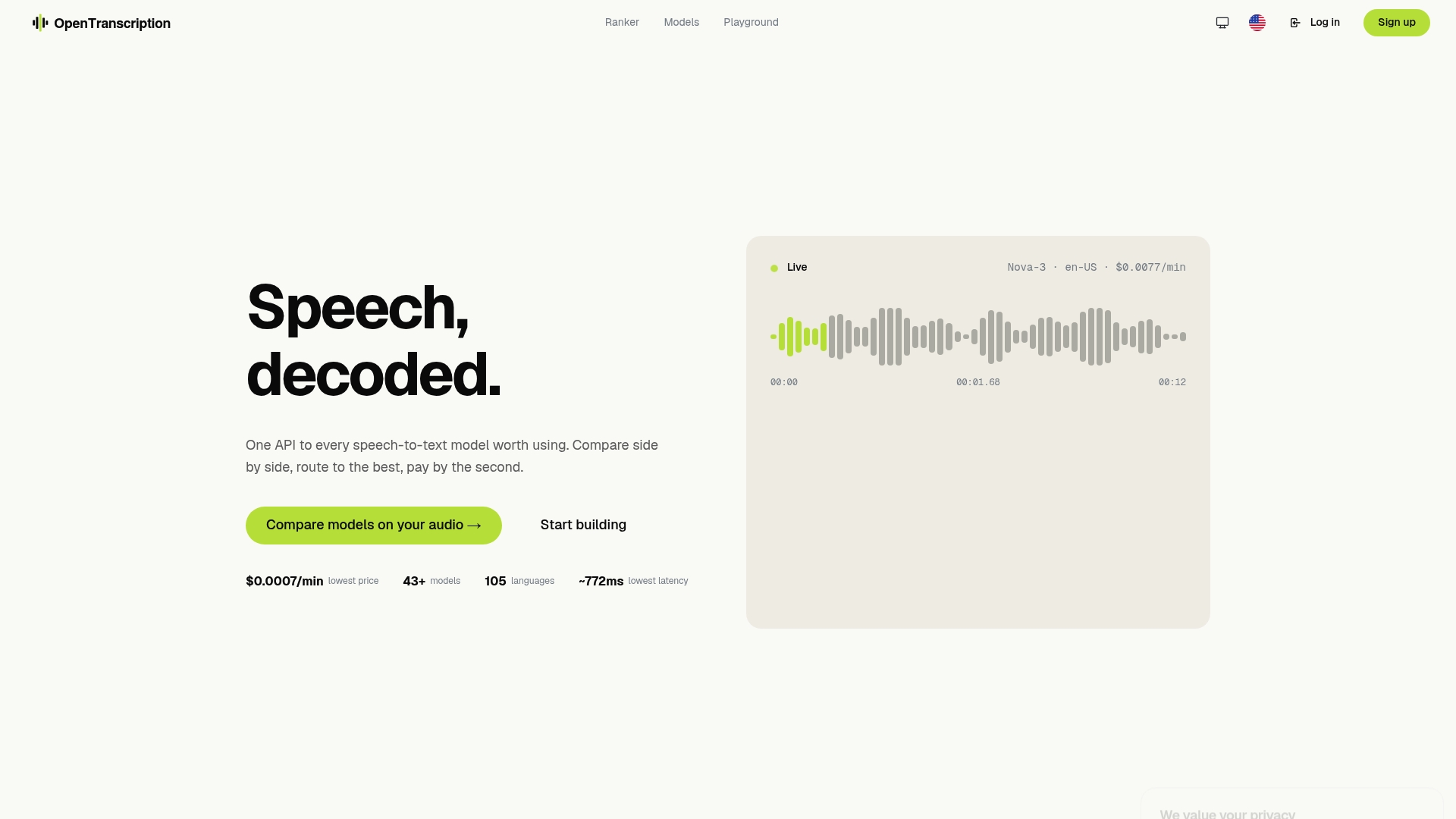
Getting started takes three steps: generate an API key, upload a sample audio file, and compare model outputs side by side in the model catalog. Enterprise teams can request invoiced billing and custom deployment options. For teams evaluating realtime options specifically, the realtime model rankings surface the lowest-latency configurations currently available across the catalog. Start your PoC at opentranscription.io.
Further reading and benchmark resources
- OpenTranscription model catalog and rankings — canonical source for model performance comparisons and realtime rankings; the starting point for any PoC.
- OpenTranscription realtime model rankings — latency-ranked view of realtime-capable models for voice UI and live captioning evaluation.
- ElevenLabs Scribe v2 Realtime API documentation — vendor documentation for the ~150 ms latency claim and streaming integration details.
- GPT-4o Transcribe model profile — detailed profile of OpenAI’s GPT-4o Transcribe family, including batch vs streaming trade-offs.
- Amazon Transcribe Medical profile — technical profile covering clinical dictation capabilities, HIPAA-eligible processing, and known limitations.
- AssemblyAI free speech-to-text API comparison — useful survey of open-source and free-tier options for teams evaluating lower-cost alternatives.