

How to Build a Batch Transcription Workflow in 2026
The most reliable approach to processing many audio files at once is an API-driven batch transcription workflow that points jobs at cloud storage URLs, runs files in parallel, and gates outputs through a statistical QA loop before export. Batch transcription, formally called asynchronous multi-file speech recognition, differs from real-time streaming in one fundamental way: the audio is already complete when processing begins, which lets the engine use full-context acoustic models and post-processing passes that are unavailable during live inference.
Start with a small pilot batch of a few files using storage URLs and a single model. That single run surfaces format issues, permission gaps, and latency expectations before you commit to production infrastructure.
The repeatable workflow follows five stages:
- Ingest: Upload audio to cloud storage and generate scoped access URIs (SAS tokens or signed URLs).
- Configure: Set language, model, diarization, timestamp granularity, and output format per job.
- Run: Submit the job via API or CLI; monitor status asynchronously.
- Spot QC: Sample a portion of outputs, compute Word Error Rate (WER), and flag low-confidence segments for human review.
- Export: Retrieve structured transcripts in your target format (JSON, SRT, DOCX) and push to downstream systems.
Key Takeaways
A production-ready batch transcription workflow requires correct audio preparation, deliberate model selection, automated QA sampling, and a structured export convention before any file reaches a downstream system.
| Point | Details |
|---|---|
| Start with a storage-URL pilot | Submit 10–20 files via storage URIs to surface format, permission, and latency issues before scaling. |
| Sample a portion for QA | Apply WER computation and confidence thresholds to a stratified sample; route files below a given mean confidence threshold to human review. |
| Tier models by content criticality | Use high-accuracy models for compliance content; lower-cost models for internal or low-priority archives to control spend. |
| Distribute jobs across regions | Regional quotas are best-effort; splitting large batches across two or three regions prevents queue saturation and keeps latency predictable. |
| OpenTranscription.io for model selection | The platform’s 40+ benchmarked models with per-second billing let teams pick the right cost-accuracy trade-off before committing to a full production run. |
Table of Contents
- What is batch transcription and when should you use it?
- How does batch transcription compare to real-time and single-file modes?
- The repeatable batch transcription workflow: ingest to export
- How should you prepare audio for accurate batch results?
- How do you choose transcription models and configure batch job settings?
- What infrastructure and throughput planning does large-scale batch require?
- How do you handle speaker diarization across batch jobs?
- How should you QA batch transcription outputs at scale?
- Concrete implementation with OpenTranscription.io
- Common failure modes in batch runs and how to fix them
- What export formats and naming conventions should you use?
- How do you estimate and control batch transcription costs?
- Implementation checklist and automation snippets
- Data security and privacy in batch transcription pipelines
- How do you integrate batch transcripts with downstream systems?
- An engineer’s perspective on batch transcription trade-offs
- Why OpenTranscription.io fits teams building batch pipelines
- Sources
- FAQ
What is batch transcription and when should you use it?
Batch transcription is the asynchronous processing of multiple completed audio files: you submit a job referencing a list of storage URIs or an entire storage container, the service transcribes files concurrently, and results are written to a storage location for retrieval when processing finishes. No human sits at a browser waiting for a progress bar.
The decision to use batch over real-time or single-file processing comes down to three variables: file count, latency tolerance, and downstream automation needs.
| Scenario | Recommended mode | Reason |
|---|---|---|
| Backlog of 100+ recorded calls | Batch | Parallel processing; no UI bottleneck |
| Nightly archive job (podcasts, meetings) | Batch | Scheduled, unattended, cost-efficient |
| Translation pipeline feeding a CMS | Batch | Structured output; downstream automation |
| Live customer support call | Real-time streaming | Sub-second latency required |
| Single ad-hoc file, result needed in <2 min | Single-file sync API | Simpler; no job management overhead |
| Captioning a live event | Real-time streaming | Latency is the product |
Batch makes sense when you have more than a handful of files, when results are not needed immediately, and when you want a repeatable, auditable pipeline rather than a one-off conversion. Scale considerations matter too: if your archive contains thousands of hours of audio, batch processing with concurrent file transcription is the only operationally sane path. Single-file sync calls at that volume would require a request-per-file orchestration layer that effectively rebuilds what a batch API already provides.
How does batch transcription compare to real-time and single-file modes?
The three modes trade latency against accuracy, operational complexity, and cost shape in distinct ways.
Latency vs. accuracy. Real-time streaming delivers partial transcripts within milliseconds but cannot use full-context acoustic models because the audio is still arriving. Batch jobs process the complete audio file, which allows models to apply broader context windows, post-processing language model rescoring, and punctuation restoration passes. The result is measurably higher accuracy for most content types, particularly for domain-specific vocabulary and overlapping speech.
Throughput and cost shape. Batch jobs are billed per second of audio processed, and concurrent file transcription means wall-clock time is decoupled from total audio minutes. A job containing 60 one-hour recordings does not take 60 hours; the service processes files in parallel, so throughput scales with the number of concurrent workers the platform allocates. Per-minute pricing also means batch patterns can be cheaper than real-time for the same audio volume, because real-time sessions often carry a session-initiation overhead and minimum billing increments.
Operational trade-offs:
- Batch requires a job management layer (submit, poll, retrieve) that single-file sync calls do not.
- Retry logic and partial-result retrieval are more complex in batch because a single job may contain hundreds of files at different completion states.
- Monitoring is asynchronous: you need a polling loop or webhook to know when results are ready.
- Real-time requires persistent connection management; batch does not.
When hybrid approaches make sense. A common production pattern combines a real-time sync API for latency-sensitive paths (live captioning, interactive voice response) with a batch pipeline for the same content after the fact (archive indexing, compliance logging). The two pipelines share the same audio storage but serve different consumers with different latency contracts.
Statistic callout: Industry benchmarks show batch processing can run at roughly 5× real-time speed under typical parallel loads, meaning one hour of audio completes in approximately 12 minutes of wall-clock time when the service is not queue-constrained.
The repeatable batch transcription workflow: ingest to export
This is the production-ready sequence. Each step has a checklist; skip one and you will debug it later under pressure.
Step 1: Prepare storage and naming
- Create a dedicated storage container or bucket for the batch project (e.g.,
transcription-jobs/2026-Q2/project-name/input/). - Apply a consistent filename convention:
{project}_{YYYYMMDD}_{sequence}_{language}.{ext}(e.g.,earnings-call_20260415_001_en-US.wav). - Generate scoped SAS URIs with read-only permissions and a TTL that covers expected processing time plus a buffer (minimum 24 hours for large jobs).
- Verify container permissions: the transcription service principal must have Storage Blob Data Reader access.
Step 2: Configure the job
- Set
languageor enablelanguageIdentificationfor multilingual batches. - Choose the model: specify by model ID or leave unset to use the platform default.
- Enable
diarizationif speaker separation is required; setmaxSpeakersto a realistic upper bound. - Set
wordLevelTimestampsEnabled: truefor downstream search indexing. - Specify
outputFormat(JSON with confidence scores is the most flexible for downstream processing).
Step 3: Submit the job
Azure’s REST and Speech CLI examples show the canonical pattern for submitting a storage-backed batch job. A minimal API payload looks like this:
POST /speechtotext/v3.2/transcriptions
{
  "contentUrls": [
    "https://storage.example.com/input/file1.wav?{sas_token}",
    "https://storage.example.com/input/file2.mp3?{sas_token}"
  ],
  "locale": "en-US",
  "displayName": "earnings-call-batch-20260415",
  "model": { "self": "https://api.example.com/models/{model_id}" },
  "properties": {
    "diarizationEnabled": true,
    "wordLevelTimestampsEnabled": true,
    "punctuationMode": "DictatedAndAutomatic",
    "profanityFilterMode": "None"
  }
}
Step 4: Monitor and retrieve
- Poll the job status endpoint every 30–60 seconds, or configure a webhook/callback URL.
- When status returns
Succeeded, retrieve the results manifest, which lists per-file output URIs. - Download outputs to your designated output container:
transcription-jobs/2026-Q2/project-name/output/.
Step 5: Spot QC and export
- Sample 5–20% of output files; compute WER against a reference set if one exists.
- Flag any file with a mean confidence score below your threshold (typically 0.70–0.80) for human review.
- Export to target formats and push to downstream systems.
Pro Tip: Attach a metadata sidecar file (JSON) to every input audio file at ingest time, containing project ID, language, speaker count estimate, and recording date. Downstream QA and search systems can then filter and sort transcripts without parsing filenames or transcript content.
How should you prepare audio for accurate batch results?
Audio quality is the single largest driver of transcription accuracy, ahead of model choice for most content types. Preparing files before submission reduces WER and cuts the volume of segments that require human review.
Accepted formats and recommended specs:
- Preferred codec: WAV (PCM, 16-bit, 16 kHz mono) or FLAC for lossless archival.
- Acceptable compressed formats: MP3 (128 kbps minimum), M4A/AAC, OGG Opus.
- Avoid: heavily compressed VoIP recordings below 8 kHz sample rate; these degrade accuracy significantly for most models.
- For telephony audio (8 kHz), use a model explicitly trained on narrowband speech.
Preprocessing tasks:
- Trim leading and trailing silence (>2 seconds) to reduce processing time and avoid empty transcript segments.
- Normalize audio to –16 LUFS to prevent clipping artifacts that cause recognition errors.
- Apply a basic noise gate or spectral subtraction pass for recordings with consistent background noise (HVAC, fan noise). Tools like FFmpeg’s
anlmdnfilter handle this without introducing speech artifacts. - Split files longer than 4 hours before submission. Files exceeding typical browser memory limits (often above 500 MB for multi-hour recordings) should be split and uploaded to cloud storage so the batch API can process them via storage URLs; results can be stitched back together by timestamp after retrieval.
Language and channel tagging:
- Batch files by language into separate jobs. Mixing languages in a single job without enabling language identification degrades accuracy for all files.
- For stereo recordings with one speaker per channel, split to mono before submission and label each channel file with a speaker tag in the filename.
- Multi-channel audio (conference calls, panel recordings) should have diarization enabled rather than pre-split, unless channel assignment is already known.
Pro Tip: Attach a minimum metadata set to every file at ingest: language, channel_count, recording_date, speaker_count_estimate, and project_id. This metadata travels with the file through the pipeline and makes QA filtering, search indexing, and compliance audits dramatically faster.
How do you choose transcription models and configure batch job settings?
Model selection for batch runs involves four attributes that interact: accuracy (WER on your content domain), cost per audio second, processing speed (throughput multiplier), and feature support (diarization, timestamps, language detection, confidence output).
Key model attributes for batch:
- Context window: Larger context windows improve accuracy for long-form audio but may increase per-file latency.
- Timestamp granularity: Word-level timestamps are essential for search indexing and subtitle generation; segment-level is sufficient for compliance logging.
- Diarization support: Not all models support speaker diarization natively; verify before enabling the flag.
- Language detection: Automatic language identification adds latency and cost; use it only for genuinely multilingual batches.
- Confidence scores: Required for automated QA routing; confirm the model outputs per-word or per-segment confidence values.
Decision guidelines:
| Use case | Model tier | Diarization | Language ID | Timestamps |
|---|---|---|---|---|
| Compliance archive (high accuracy required) | High-accuracy | Yes | Only if mixed | Word-level |
| Podcast indexing (speed priority) | Mid-tier | Optional | No | Segment-level |
| Call center bulk processing | Domain-specific | Yes | No | Word-level |
| Research interviews (multilingual) | High-accuracy | Yes | Yes | Word-level |
| Low-value content triage | Low-cost | No | No | None |
Example configuration values:
confidenceThreshold: 0.75— segments below this score are flagged for human review.maxSpeakers: 6— set to a realistic upper bound; over-specifying inflates diarization errors.expectedDurationHint: 3600(seconds) — helps the scheduler allocate resources appropriately for long files.segmentationSilenceTimeoutMs: 700— controls how aggressively the engine splits on silence; lower values produce more granular segments.
The OpenTranscription model catalog lists 40+ models with per-model accuracy, cost, and speed benchmarks, which removes the guesswork from this decision for teams that do not have a reference test set of their own.
What infrastructure and throughput planning does large-scale batch require?
Scaling a batch transcription pipeline beyond a few hundred files requires deliberate architecture choices. The naive approach — submitting all files to a single region in one job — runs into quota ceilings and queue contention that inflate end-to-end latency unpredictably.
Architecture patterns:
- Queue-based ingestion: Place incoming audio files on a message queue (SQS, Azure Service Bus, or Pub/Sub). A worker pool reads from the queue, groups files into jobs of 50–200 files each, and submits them to the transcription API. This decouples ingestion rate from API submission rate and provides natural retry points.
- Multi-region distribution: Per Microsoft’s quota documentation, regions process requests on a best-effort basis, and submitting more small requests does not increase regional throughput. Distributing jobs across two or three regions — with a routing layer that tracks per-region queue depth — is the standard mitigation.
- Ephemeral compute: Use serverless functions or spot instances for the orchestration layer. The transcription work itself runs on the provider’s infrastructure; your workers only need to submit, poll, and retrieve.
Throughput formula:
estimated_wall_clock_minutes =
  (total_audio_minutes / parallelism_factor) / processing_speed_multiplier
At 5× real-time processing speed with 20 concurrent files, 1,000 minutes of audio completes in roughly 10 minutes of wall-clock time, excluding I/O and queue overhead.
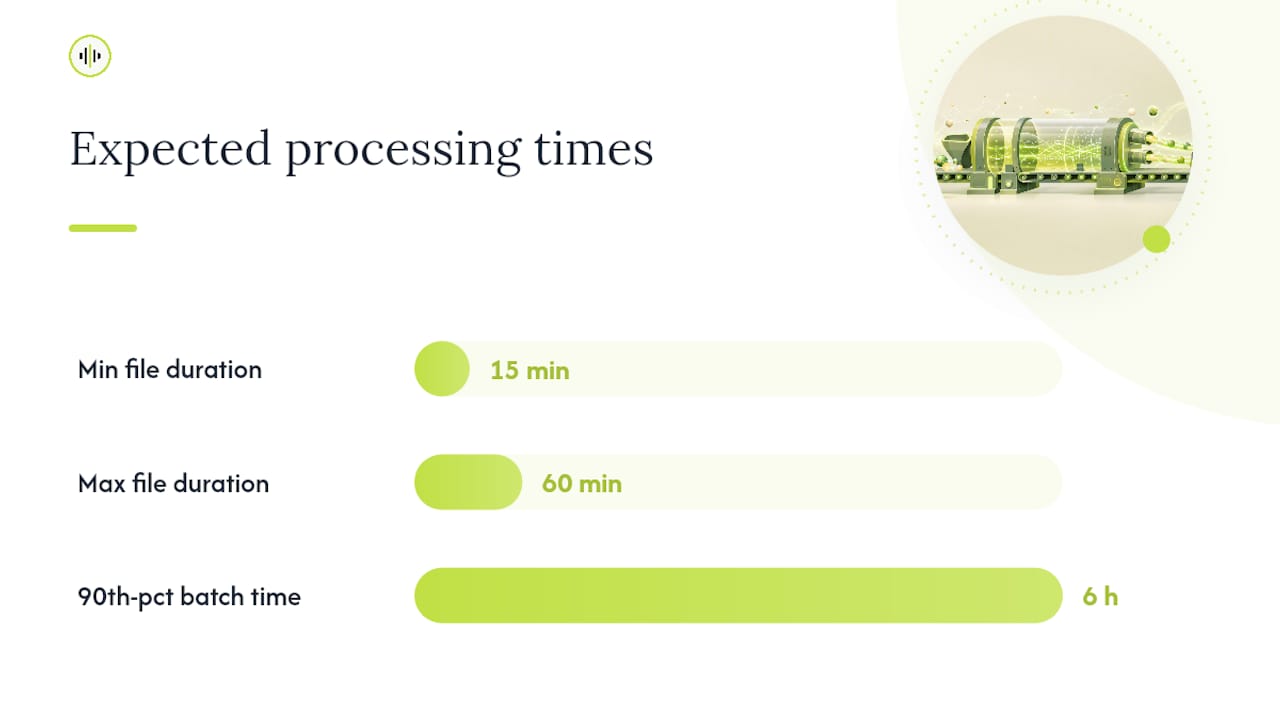
Statistic callout: Azure’s batch transcription documentation reports that 90th-percentile end-to-end latency is usually below six hours, with extreme queueing extending total time toward 24 hours. Plan your SLAs around the 90th percentile, not the median.
Retries and backoff:
- Implement exponential backoff with jitter for job submission failures (start at 2 seconds, cap at 60 seconds).
- On a per-file failure within a job, extract the failed file URIs from the results manifest and requeue them as a new job rather than resubmitting the entire batch.
- Set a maximum retry count (3–5 attempts) and route persistent failures to a dead-letter queue for manual inspection.
Pre-sign output container URIs with write permissions at job creation time so results land directly in your output bucket without an extra copy step.*
How do you handle speaker diarization across batch jobs?
Speaker diarization — the process of segmenting audio by speaker identity — adds meaningful structure to transcripts of multi-party recordings, but it also introduces failure modes that are more common in batch contexts than in single-file processing.
When to enable diarization:
- Enable it for any recording with two or more speakers where speaker attribution matters for downstream use (legal transcripts, interview analysis, call center QA).
- Disable it for single-speaker content (narration, voiceover, dictation) to avoid spurious speaker splits on breath pauses or background noise.
- For recordings with more than eight speakers, accuracy degrades significantly for most models; consider pre-splitting by known speaker segments if metadata is available.
Parameter choices:
- Set
maxSpeakersto the realistic upper bound for your content type. Over-specifying (e.g., setting 10 for a two-person call) causes the model to fragment one speaker’s speech into multiple phantom speakers. - Enable short-segment smoothing where the API supports it; this merges sub-second speaker segments that are almost always diarization artifacts rather than genuine speaker changes.
Consistent speaker naming across files:
- For projects where the same speakers appear across multiple files (a recurring podcast, a longitudinal interview series), use voice fingerprint matching or a metadata-driven mapping table to assign consistent speaker labels (e.g.,
SPEAKER_HOST,SPEAKER_GUEST_1) rather than accepting the model’s defaultSPEAKER_0,SPEAKER_1labels. - Store the mapping table in a sidecar JSON file alongside the transcript output so downstream systems can resolve labels without re-processing audio.
Handling difficult recordings:
- Overlapping speech: most diarization models assign overlapping segments to a single speaker. Flag these segments (typically identifiable by very short speaker-turn durations) for human review rather than treating them as clean output.
- Noisy channels: apply noise reduction before submission. Diarization accuracy drops sharply when SNR falls below approximately 10 dB.
- Conference calls with codec artifacts (G.711, G.729): use a telephony-trained model and set the sample rate hint to 8 kHz explicitly.
How should you QA batch transcription outputs at scale?
Full manual review of every transcript in a large batch is operationally impractical. The standard approach, documented across practical batch transcription implementations, combines statistical sampling with automated confidence-based routing.
Sampling strategy:
- For batches under 500 files, sample 10–20% of outputs.
- For batches of 500–5,000 files, sample 5–10%, stratified across file duration, speaker count, and recording quality tier.
- For archives exceeding 5,000 files, sample 2–5% with stratification; supplement with automated flagging for all files below the confidence threshold.
- Always sample from the start, middle, and end of each file, not just the beginning, because audio quality often degrades over long recordings.
Metric definitions and thresholds:
- Word Error Rate (WER):
(Substitutions + Deletions + Insertions) / Total Reference Words. A WER below 10% is generally acceptable for most business use cases; below 5% for legal or compliance contexts. - Character Error Rate (CER): More appropriate for languages with complex morphology or character-based scripts. Apply the same formula at the character level.
- Mean confidence score: Average per-word confidence across the transcript. Scores below 0.70 correlate strongly with elevated WER; route these files to human review automatically.
- Segment-level flags: Any segment with confidence below 0.50 should be marked
[INAUDIBLE]or[REVIEW]in the output rather than left as a low-confidence guess.
Automated checks:
- Parse confidence scores from the JSON output for every file.
- Compute mean confidence per file; flag files below threshold.
- For flagged files, compute WER against a reference sample if one exists.
- Route flagged files to a human review queue; pass clean files to the export stage.
- Log QA results (file ID, mean confidence, WER if computed, reviewer ID) to a QA database for trend analysis.
Sample WER computation (pseudocode):
reference = tokenize(reference_text)
hypothesis = tokenize(transcript_text)
wer = edit_distance(reference, hypothesis) / len(reference)
if wer > 0.10:
    flag_for_review(file_id, wer)
Concrete implementation with OpenTranscription.io
OpenTranscription.io’s API is designed around the storage-URL pattern: you pass a list of audio file URLs (or a container reference), specify model and job settings, and retrieve structured JSON outputs with word-level timestamps and per-word confidence scores. The platform’s model catalog covers 40+ models, each with published accuracy, cost, and speed benchmarks, so model selection is a data-driven decision rather than a guess.
Sample API payload pattern:
POST https://api.opentranscription.io/v1/batch
Authorization: Bearer {api_key}
Content-Type: application/json

{
  "files": [
    { "url": "https://storage.example.com/audio/file1.wav?{token}" },
    { "url": "https://storage.example.com/audio/file2.mp3?{token}" }
  ],
  "model": "whisper-large-v3",
  "language": "en",
  "diarization": true,
  "max_speakers": 4,
  "word_timestamps": true,
  "confidence_scores": true,
  "output_format": "json"
}
Sample response fields to expect:
job_id: unique identifier for polling and result retrieval.status:queued|processing|succeeded|failed.files[].transcript: full transcript text with punctuation.files[].words[]: array of{word, start_time, end_time, confidence, speaker_id}objects.files[].mean_confidence: aggregate confidence score for the file.
Throughput and latency under pilot loads:
Under typical pilot conditions (10–50 files, mixed durations of 15–60 minutes each), expect processing to complete well within the six-hour 90th-percentile window documented for comparable batch services, with most jobs finishing significantly faster when queue depth is low. Word-level timestamps and confidence scores are returned for every segment, enabling the automated QA routing described in the previous section without additional post-processing.
Operational tips for OpenTranscription.io:
- Use the model benchmarking page to select a model before your pilot; filter by your target language and content domain to narrow the field quickly.
- Name jobs with a structured convention (
{project}_{date}_{batch_sequence}) so the job list remains navigable as volume grows. - Poll the status endpoint on a 30-second interval during active processing; switch to a 5-minute interval once the job enters a stable
processingstate to reduce unnecessary API calls. - Retrieve the results manifest first (a lightweight JSON listing per-file output URIs) before downloading individual transcript files; this lets you prioritize downloads for high-priority files without pulling the entire batch.
Pro Tip: OpenTranscription.io’s per-second billing means you pay only for audio actually processed, with no session minimums or idle-time charges. For batches with highly variable file durations, this billing model is materially cheaper than platforms that round up to the nearest minute or charge a per-file flat fee.
Common failure modes in batch runs and how to fix them
Batch pipelines fail in predictable ways. The following issue/fix pairs cover the most frequent production failures.
Upload and access failures:
- Symptom: Job returns
403 ForbiddenorAuthorizationFailurefor one or more files. - Fix: Verify SAS token expiry, scope (read permission on the correct container), and that the service identity has Storage Blob Data Reader on the storage account. Regenerate tokens with a longer TTL and resubmit failed files.
Mixed-language accuracy collapse:
- Symptom: Transcripts for non-English files contain garbled output or English substitutions.
- Fix: Separate files by language into distinct jobs, each with the correct
localesetting. EnablelanguageIdentificationonly when language is genuinely unknown at submission time.
Stuck or stalled queues:
- Symptom: Job status remains
processingfor more than 12 hours with no per-file completions. - Fix: Check regional quota status; if the region is saturated, cancel the job and resubmit to an alternate region. Per Microsoft’s quota guidance, submitting more small requests does not increase throughput — distributing across regions does.
Diarization collapse:
- Symptom: All speech assigned to a single speaker, or speaker count far exceeds actual speakers.
- Fix: Check
maxSpeakerssetting; reduce it to match actual speaker count. Verify audio SNR; apply noise reduction if SNR is below 10 dB. For single-speaker content, disable diarization entirely.
Format and size limit errors:
- Symptom: Files rejected at submission with
UnsupportedMediaTypeorFileTooLarge. - Fix: Convert to WAV PCM 16 kHz using FFmpeg before submission. Split files exceeding the platform’s per-file size limit (check the platform’s documented limits; many cap at 200 MB or 4 hours per file) and stitch results by timestamp after retrieval.
Partial result retrieval:
- When a job is still running, most batch APIs allow retrieval of completed-file results before the full job finishes. Poll the results manifest periodically and process completed files immediately rather than waiting for the entire job to finish. This reduces end-to-end pipeline latency for large batches.
Troubleshooting checklist:
- Check job-level error codes in the status response before inspecting per-file errors.
- Verify storage access independently (attempt a direct download of the input file using the SAS URI).
- Confirm model ID is valid and available in the target region.
- Review per-file
error.codeanderror.messagefields in the results manifest. - For persistent failures, isolate one failing file and submit it as a single-file job to determine whether the issue is file-specific or infrastructure-level.
What export formats and naming conventions should you use?
Transcript deliverables need to be machine-readable for downstream automation and human-readable for review workflows. Choosing the right format per use case avoids conversion steps that introduce errors.
Common export formats:
- JSON with word timestamps: The most flexible format for downstream processing. Contains full transcript, per-word timing, speaker labels, and confidence scores. Use for search indexing, analytics pipelines, and any system that needs structured data.
- SRT/VTT: Subtitle formats for video platforms and media players. SRT is more widely supported; VTT supports styling and is required for HTML5
<track>elements. Generate from JSON timestamps rather than requesting directly from the API when you need custom segment lengths. - DOCX: For human editing workflows (legal review, academic transcription). Include speaker labels and timestamps as paragraph metadata rather than inline text to keep the document clean.
- Plain TXT: Appropriate only for full-text search indexing where timing and speaker data are not needed.
Filename convention template:
{project_id}_{YYYYMMDD}_{sequence_number}_{language_code}_{version}.{ext}
Example: earnings-call_20260415_042_en-US_v1.json
Required metadata fields (embed in the JSON output or a sidecar file):
project_id,batch_job_id,source_file_uri,language,model_id,processing_date,mean_confidence,speaker_count,duration_seconds,version.
Packaging and integration:
- For batches under 100 files, deliver per-file outputs in a structured directory tree mirroring the input organization.
- For larger batches, package outputs in a ZIP archive with a manifest JSON listing all files, their metadata, and QA status.
- For CMS integration, push JSON transcripts to a content API endpoint using the
batch_job_idas the correlation key. - For search indexing (Elasticsearch, OpenSearch, Azure AI Search), index word-level timestamp arrays as nested objects to support time-coded search queries.
Azure Blob Storage provides the canonical pattern for organizing output containers with lifecycle rules that automatically tier or delete outputs after a defined retention period, which prevents storage costs from accumulating indefinitely.
How do you estimate and control batch transcription costs?
Batch transcription cost is a function of audio volume, model tier, and any platform routing or markup fees. The formula is straightforward:
total_cost = audio_seconds × per_second_rate × model_multiplier + routing_fee
For a concrete example: 10,000 minutes of audio (600,000 seconds) at a per-second rate of $0.00010 with a 1.2× model multiplier yields $72.00 before any routing fee. Switching to a lower-cost model with a 0.8× multiplier brings the same job to $48.00.
Cost reduction tactics:
- Model tiering by content criticality: Use high-accuracy models only for compliance-critical or customer-facing content. Route internal meeting recordings, low-priority archives, and draft content through lower-cost models. The accuracy difference for clean, single-speaker audio is often negligible.
- Sampling before full transcription: For large archives where only a fraction of content will be actively used, transcribe a random sample first, assess quality and relevance, and transcribe the remainder selectively.
- Downsampling low-value audio: Resample 48 kHz stereo recordings to 16 kHz mono before submission. The transcription accuracy impact is minimal for speech content, and the reduced file size cuts both storage transfer costs and processing time.
- Avoid unnecessary re-runs: Store all outputs with version metadata. Before resubmitting a file, check whether a valid transcript already exists in the output store. Re-running a file that already has an acceptable transcript is pure waste.
- Batch economics vs. real-time: Per-minute billing on batch jobs typically does not include session-initiation overhead or minimum billing increments that real-time streaming APIs often carry. For high-volume, non-latency-sensitive workloads, batch is almost always the cheaper billing pattern.
Statistic callout: Some bulk transcription implementations report processing speeds of 5–10× real-time for certain model configurations, meaning the cost-per-audio-minute of a batch job can be substantially lower than an equivalent real-time session when session overhead is factored in.
Implementation checklist and automation snippets
Pre-flight checklist
- Storage container created with correct regional placement.
- Service identity has Storage Blob Data Reader on input container and Storage Blob Data Contributor on output container.
- SAS tokens generated with read scope, minimum 24-hour TTL, and HTTPS-only flag.
- All input files validated: format, sample rate, file size within platform limits.
- Language tags confirmed per file; multilingual files batched into separate jobs.
- Model selected from catalog; diarization and timestamp flags set per use case.
- Output naming convention documented and applied to output container path.
- QA sampling rate defined (5–20% based on batch size).
- Retry logic configured: exponential backoff, max 5 attempts, dead-letter queue for persistent failures.
- Monitoring: status polling interval set; alerting configured for job failures and confidence threshold breaches.
Automation snippets
Submit a batch job (curl):
curl -X POST "https://api.opentranscription.io/v1/batch" \
  -H "Authorization: Bearer $API_KEY" \
  -H "Content-Type: application/json" \
  -d '{
    "files": [
      {"url": "'"$FILE_URL_1"'"},
      {"url": "'"$FILE_URL_2"'"}
    ],
    "model": "whisper-large-v3",
    "language": "en",
    "diarization": true,
    "word_timestamps": true,
    "confidence_scores": true
  }'
Poll for job status (pseudocode):
job_id = submit_batch_job(file_urls, config)
while True:
    status = get_job_status(job_id)
    if status == "succeeded":
        results = get_results_manifest(job_id)
        break
    elif status == "failed":
        handle_failure(job_id)
        break
    sleep(30)
Requeue only failed files:
manifest = get_results_manifest(job_id)
failed_urls = [f.url for f in manifest.files if f.status == "failed"]
if failed_urls:
    new_job_id = submit_batch_job(failed_urls, config)
Mini WER calculation:
from jiwer import wer
score = wer(reference_text, hypothesis_text)
if score > 0.10:
    flag_for_review(file_id, score)
- Use the
jiwerPython library for production WER computation; it handles normalization (punctuation stripping, case folding) consistently. - Log WER scores per file to a QA database; track trend over time to detect model drift or audio quality degradation.
Data security and privacy in batch transcription pipelines
Batch pipelines handle audio at scale, which means a single misconfiguration can expose a large volume of sensitive content. Security controls need to be applied at the storage, transit, and processing layers.
Storage security:
- Use private endpoints and Private Link for enterprise deployments where audio must not traverse the public internet between storage and the transcription service.
- Apply least-privilege SAS tokens: read-only, scoped to the specific container, with the shortest TTL that covers processing time.
- Enable storage-level encryption at rest (AES-256) and verify that the transcription service does not retain audio after processing completes.
Data handling:
- Confirm the platform’s data retention policy: does the provider store audio or transcripts after job completion? For HIPAA-eligible or regulated content, this is a contractual requirement, not a preference.
- Implement lifecycle rules on both input and output containers to delete files after the defined retention period.
- Log all job submissions, completions, and access events to an immutable audit log.
Transit security:
- All API calls and storage access must use TLS 1.2 or higher; reject connections that negotiate lower versions.
- SAS URIs must include the
spr=httpsparameter to prevent HTTP access.
How do you integrate batch transcripts with downstream systems?
A transcript that sits in a storage bucket is an artifact, not a product. The value of bulk audio transcription is realized when transcripts feed downstream systems automatically.
CMS integration:
- Use the
batch_job_idas the correlation key between the audio asset record in your CMS and the transcript output. - Push JSON transcripts to a content API endpoint via a webhook triggered by job completion.
- Store the full JSON (with timestamps and confidence scores) as a structured field alongside the plain-text version; the plain text serves display needs while the JSON serves search and analytics.
Search indexing:
- Index word-level timestamp arrays as nested objects in Elasticsearch or OpenSearch to support time-coded search (returning the exact moment in a recording where a term appears).
- Use the
mean_confidencefield to filter low-quality transcripts from the search index, or apply a confidence-weighted relevance boost.
Analytics pipelines:
- Route transcripts to a data warehouse (BigQuery, Redshift, Snowflake) for aggregate analysis: topic modeling, sentiment analysis, keyword frequency, and speaker talk-time ratios.
- Speaker diarization output enables per-speaker analytics without additional processing.
Feedback loops:
- Capture human corrections from the review queue and store them as correction pairs (original segment, corrected segment) against the model ID and audio characteristics.
- Use correction data to evaluate whether a model upgrade or fine-tuning is warranted, and to set realistic WER expectations for future batches of similar content.
An engineer’s perspective on batch transcription trade-offs
The operational reality of batch transcription pipelines is that the hard problems are rarely about the transcription itself.
The teams that struggle longest with batch pipelines are the ones that treat QA as an afterthought. The fix is always the same: define your acceptance criteria before you run your first pilot batch, not after you have 10,000 transcripts of uncertain quality sitting in a bucket.
Model selection deserves more periodic attention than most teams give it. The transcription model landscape changes materially every six to twelve months. A model that was the best cost-accuracy trade-off when you built your pipeline may have been surpassed by two or three alternatives by the time you are processing your second year of archives. Build a re-evaluation step into your annual operational review. Run your QA sample set through the current model catalog, compare WER and cost, and migrate if the delta justifies the effort.
The other underappreciated cost is organizational: staffing the human review queue. Automated QA routing reduces the volume of files that need human attention, but it does not eliminate it. Budget for that labor explicitly, or the queue will grow until it becomes a liability.
Long-term, the pipelines that age well are the ones built around immutable inputs (original audio never modified), versioned outputs (every re-transcription creates a new version, never overwrites), and a QA database that accumulates trend data. Those three properties make it possible to answer the question “did our transcript quality improve or degrade after the model upgrade?” with data rather than intuition.
Why OpenTranscription.io fits teams building batch pipelines
For teams that need to move from a batch transcription concept to a working pipeline without building model evaluation infrastructure from scratch, OpenTranscription.io provides a concrete advantage: a unified API that routes jobs across 40+ benchmarked models, with per-second billing and no subscription commitment.
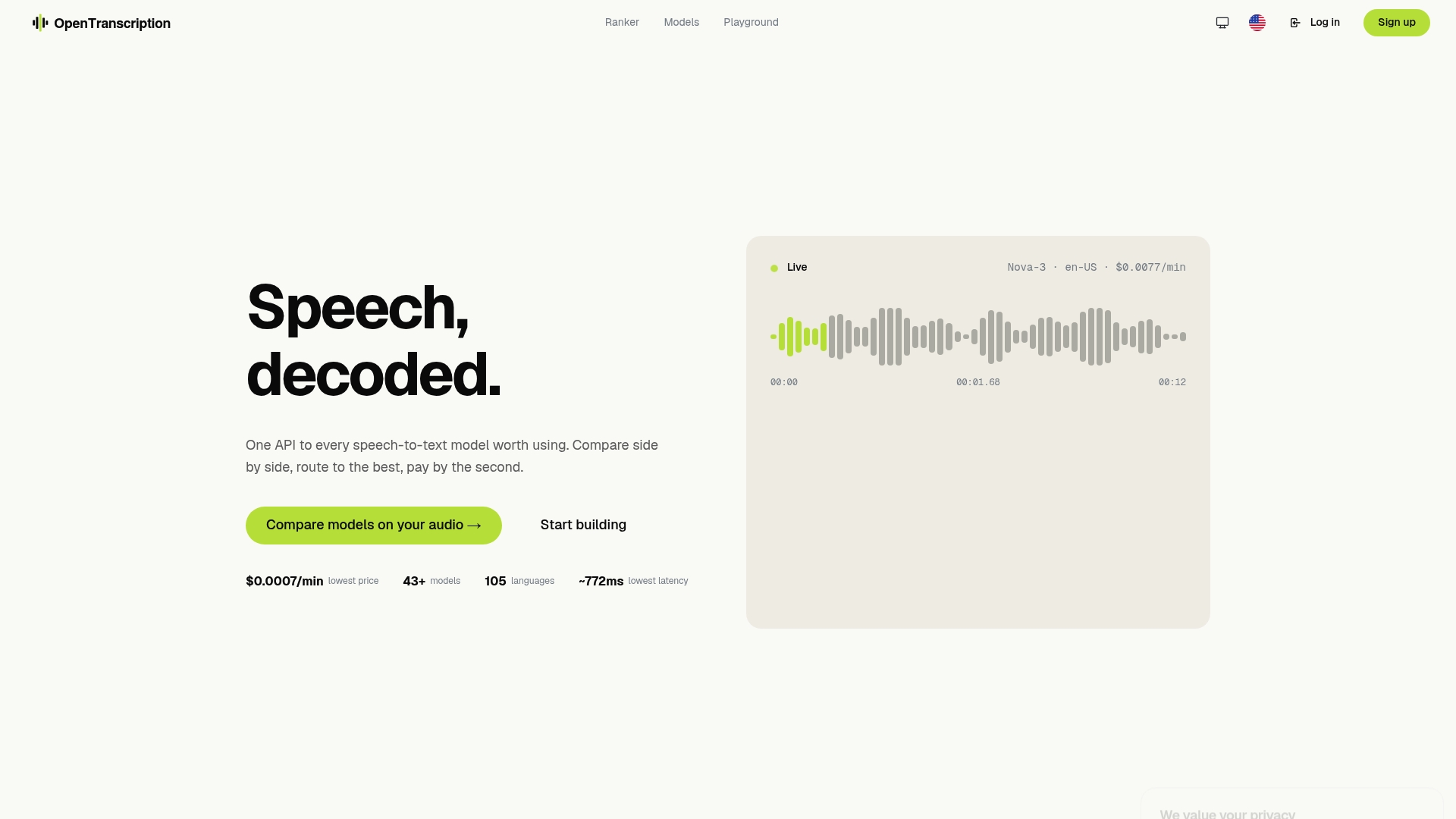
The platform’s model catalog publishes accuracy, cost, and speed benchmarks for each model, which means you can select the right model for your content domain and budget before your pilot run rather than discovering the trade-offs after processing thousands of files. Storage-URL job submission, word-level timestamps, per-word confidence scores, and speaker diarization are all available through a single API endpoint, removing the integration overhead of stitching together multiple providers for different features.
For teams evaluating whether to build a custom pipeline or use a managed API, the deciding factor is usually time-to-value. Building your own model evaluation layer, managing provider credentials, and normalizing output formats across providers takes weeks. OpenTranscription.io’s model benchmarking and comparison interface compresses that evaluation to hours.
Pay-as-you-go pricing means pilot costs are proportional to pilot volume. Start with a 20-file test batch, review the outputs, and scale only when the quality and cost profile meets your requirements. Visit Opentranscription to review the model catalog and submit your first batch job.
Sources
FAQ
What is batch transcription and how does it work?
Batch transcription is the asynchronous processing of multiple completed audio files: you submit a job referencing storage URIs, the service transcribes files concurrently, and results are stored for retrieval when processing finishes. Unlike real-time streaming, batch jobs process complete audio, which allows higher-accuracy models and post-processing passes unavailable during live inference.
How long does it take to transcribe 30 minutes of audio in a batch job?
At approximately 5× real-time processing speed, 30 minutes of audio takes roughly 6 minutes of processing time when the service is not queue-constrained. Azure’s batch transcription documentation reports 90th-percentile end-to-end latency below six hours, which includes queue time; most jobs under typical loads complete well within that window.
Can ChatGPT or general-purpose LLMs handle batch audio transcription?
General-purpose LLMs like ChatGPT are not designed for bulk audio transcription at scale. They lack the asynchronous job management, storage-URL ingestion, and per-file confidence scoring that production batch pipelines require. Dedicated speech-to-text APIs, including those accessible through platforms like OpenTranscription.io, are the appropriate tool for automated transcription of many files.
What is an acceptable Word Error Rate for batch transcription outputs?
Files with a mean confidence score below 0.70 correlate strongly with elevated WER and should be routed to human review before downstream use.
How do you reduce cost on large batch transcription jobs?
The most effective tactics are model tiering (using lower-cost models for non-critical content), downsampling audio to 16 kHz mono before submission, and avoiding re-runs by versioning outputs and checking for existing transcripts before resubmitting. Per-second billing on batch APIs, available through platforms like OpenTranscription.io, also eliminates session-initiation overhead that inflates real-time streaming costs at high volume.